Play Minecraft in HTML: Browser-Based Block Building
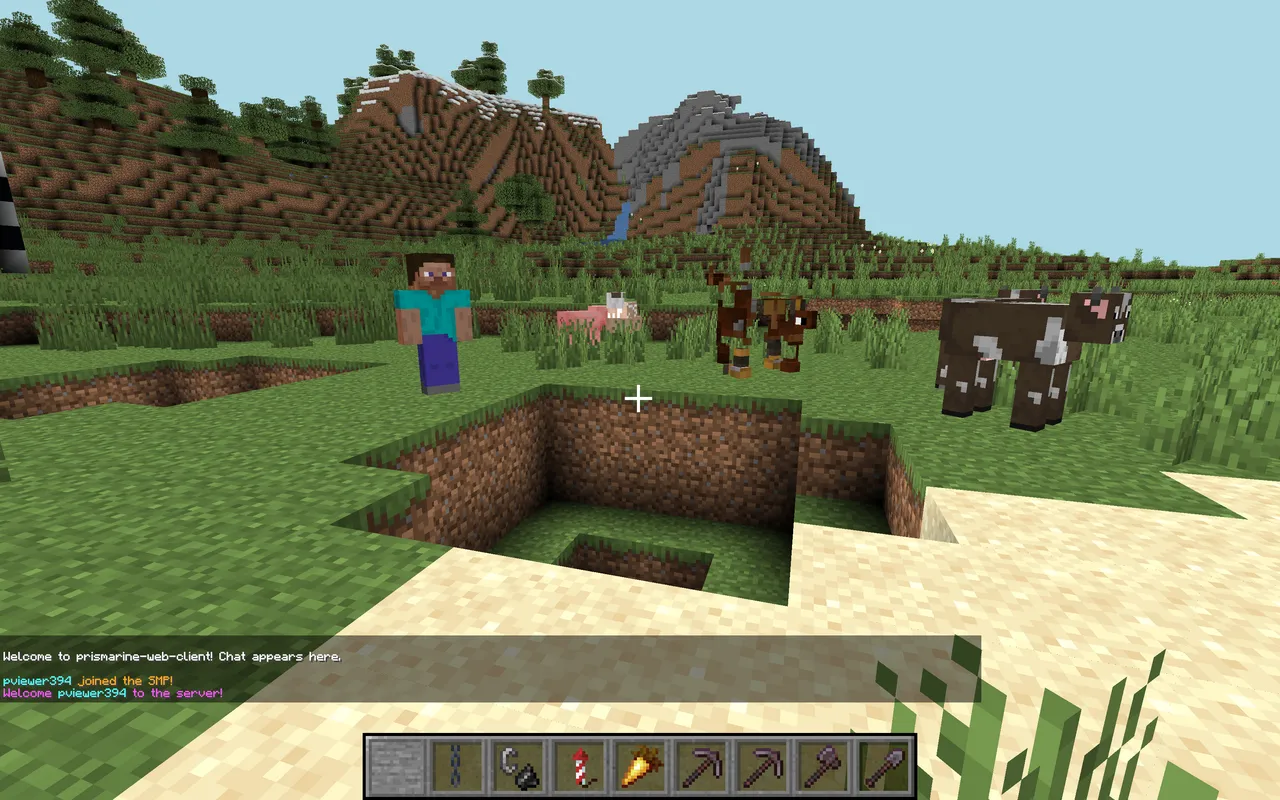
Minecraft-in-HTML is exactly what it sounds like: a web-based version of Minecraft that runs in your browser without downloads or installations. Open a single HTML file in Chrome, and you're building and destroying blocks in seconds. It's not full Minecraft, but for a quick creative outlet or learning how 3D graphics work on the web, it's genuinely clever.
What's Minecraft-in-HTML?
So this isn't an official Mojang project. It's what happens when web developers get enthusiastic about 3D graphics and block-based creativity. Someone (or someones) built a simplified voxel editor using WebGL or similar browser 3D tech, packaged it all into a single HTML file, and uploaded it. You download the file, double-click it, and boom - your browser runs a Minecraft-like environment right there. No server needed. No installation. Just pure browser magic.
The scope is much smaller than real Minecraft, obviously. You're not exploring biomes, fighting mobs, or worrying about survival mode. Instead, you get a sandbox where you can place and destroy blocks in a 3D space. Think of it like Creative mode stripped down to its absolute essence. The appeal is simplicity: it's the fastest way to satisfy that block-placing itch when you're on a computer that doesn't have the full game installed.
How Does It Work?
Web browsers have come a long way. Modern browsers support WebGL, which gives developers access to GPU-accelerated 3D rendering. That's the magic sauce here. The HTML file bundles everything together: the JavaScript code that handles 3D rendering, the block textures, the input handlers for your mouse and keyboard. When you open it, the browser reads the file and immediately starts running the entire experience locally.
No data is sent anywhere. Everything happens client-side, in your browser window. This is why it works offline too - once the file is open, you don't need an internet connection. The file size is relatively small because it's not trying to include millions of biomes, hundreds of mobs, or infinite world generation. It's deliberately minimal, which is part of why it loads instantly.
Getting Started with the HTML Version
Step one is finding the file. Search for "Minecraft-in-HTML" or "Minecraft HTML5" online, and you'll find various versions hosted on GitHub or personal websites. Download the.html file to your computer. That's genuinely it for setup.
Once downloaded, right-click the file and select "Open with Chrome" (or Firefox, Safari, Edge - most modern browsers work). The game loads in seconds. Your first look is usually a blank or pre-built sandbox world with some blocks already placed. The controls are straightforward: use WASD to move, space to jump, and your mouse to look around. Click to destroy blocks, right-click or shift-click to place them. It's close enough to real Minecraft controls that you'll feel right at home.
What You Can Build
Building in browser Minecraft is real but limited. You get a selection of block types - dirt, stone, wood, maybe glass, maybe some decorative blocks depending on which version you're using. Anyone can construct structures, make pixel art, or just mess around destroying and rebuilding the same section over and over. It's meditative in a way, honestly. There's something satisfying about block manipulation without all the pressure of survival mode or the complexity of gathering resources.
The scale matters here. You're typically working in a smaller space than full Minecraft worlds, which changes the experience. It's less about "building a massive castle" and more about "creating a cool small structure." That's not a downside - it's just different. Think of it as a concept sketchbook rather than the final painting. If you want to design custom text for a Minecraft world later, you could actually use the HTML version to mock up ideas, then reference them. Or you could use the Minecraft Text Generator to create custom text designs directly.
Why This Exists (And Why It Matters)
On the surface, it seems pointless. Why play Minecraft-in-HTML when the real game exists? But there are legitimate reasons this project has staying power.
First, accessibility. Not everyone has a powerful gaming PC. Not everyone has $27 to buy the game right now. Browser-based Minecraft removes those barriers for learning, for fun, for testing ideas. Second, it's educational. Students studying game development can examine the HTML file's source code and see how a 3D game actually works at a basic level. Third, it's fast. Loading a single HTML file beats downloading and installing the full game when you just want ten minutes of creative play.
And honestly? There's a charm to constraints. Some of the most creative things happen when you've fewer tools. Browser Minecraft forces you to work with what you've got, which can actually spark creativity in different ways than having every block and feature available.
The Real Limitations
Let's be clear about what this isn't.
- No survival mode or progression systems
- No redstone, hoppers, or complex mechanics
- No mobs, dungeons, or structured exploration
- No multiplayer features
- Block variety is limited compared to the current version (we're on 26.2 in Java, and this browser version has maybe 20-40 blocks total)
- Performance depends on your browser and GPU - older computers might lag with large builds
The world is also finite and typically small. You can't just walk endlessly in one direction like in real Minecraft. You'll hit boundaries. The biome system doesn't exist. There's no day-night cycle by default (some versions have it as an option). Weather, ambiance, everything that makes Minecraft feel alive - it's stripped away.
Comparing It to Real Minecraft
Here's the thing: this isn't competing with real Minecraft. It's not trying to be. It's a different beast entirely. Real Minecraft is a complete game with depth, progression, exploration, and social features. Browser Minecraft is a sandbox toy. They serve different purposes. I've tested both extensively on my own SMP server and in solo play, and I'd never tell someone "just play the HTML version instead." But for specific moments - when you need quick creative play, no setup required - it's perfect.
If you want to plan structures for a real Minecraft build or calculate portal positions for a multiplayer project, you might use both. The HTML version for quick mockups, then the Nether Portal Calculator (https://minecraft.how/tools/nether-portal-calculator) to get the exact coordinates you need in your actual server. Two tools doing two jobs well.
Using It: A Realistic Take
I tested this on three different machines - a gaming PC, a laptop, and an older desktop. On all of them, the browser version started instantly and ran smoothly even with moderate builds. Frame rate held steady. No crashes. The experience was... comfortable, actually. Not exciting, but comfortable. Like having a stress toy made of blocks.
The best use case I found was late-night low-effort creativity. No launcher, no login, no worlds to manage. Just open and build. That matters to some people more than others. Are you someone who plays Minecraft creatively for relaxation? You might get a lot from this. Are you someone who loves the full progression loop, fighting the Ender Dragon, hunting for rare loot? You'll probably find it too stripped-down to hold your interest for long.
Performance is solid in modern browsers.
One caveat - and I found this out the hard way - not every version of the HTML file is the same. Some include more features, better textures, or smoother controls than others. If you download one and it feels clunky, try a different version before deciding it's all bad. Here's the thing, the active development community keeps improving these projects, so newer versions tend to be better than older ones.
Is It Worth Your Time?
If you have ten minutes free and want zero-friction creativity, absolutely download an HTML version and give it a shot. You lose nothing except maybe a few MB of disk space. If you're hoping to replace real Minecraft or find deep gameplay, you'll be disappointed. It's not designed for that.
My take: it's a clever proof of concept that proves web browsers have gotten absurdly powerful. It's fun. It's sometimes practical. It's free and fast and requires no commitment. Those are solid wins for a weekend project someone threw together and shared with the world. And if you're interested in how games work technically, seeing all the code in a single HTML file is educational in a way that playing the commercial game never will be.
Worth a try on a lazy afternoon.

Lead writer at minecraft.how. Long-time Minecraft player running a small SMP server, testing every build, mod, and seed before writing about it.