
Guía de Comando de XP de Minecraft: Sintaxis, Límites
The minecraft xp command lets you add, remove, or set experience points and levels instantly, which is perfect for testing enchantments, running events, or fixing progression bugs on servers. In 2026, it still works best when you separate points from levels and double-check syntax per edition.
Minecraft XP command basics in 2026
If you only remember one thing, remember this: XP points and XP levels aren't the same currency. One level near level 5 is cheap, one level near level 35 is expensive. So when players say, "give me 30 XP," they usually mean 30 levels, not 30 raw points.
I still see this mistake weekly on community servers. Admin types a quick command, player gets almost nothing, chaos begins in chat, someone blames lag, and suddenly we're all amateur economists for the XP market.
Short version? Use levels for gameplay rewards, use points for precision testing.
And yes, command permissions still matter. In survival worlds with cheats off, none of this runs until you enable cheats or use operator rights.
Exact minecraft xp command syntax (Java vs Bedrock)
Edition differences are where most guides get fuzzy. Here's the practical version you can actually use.
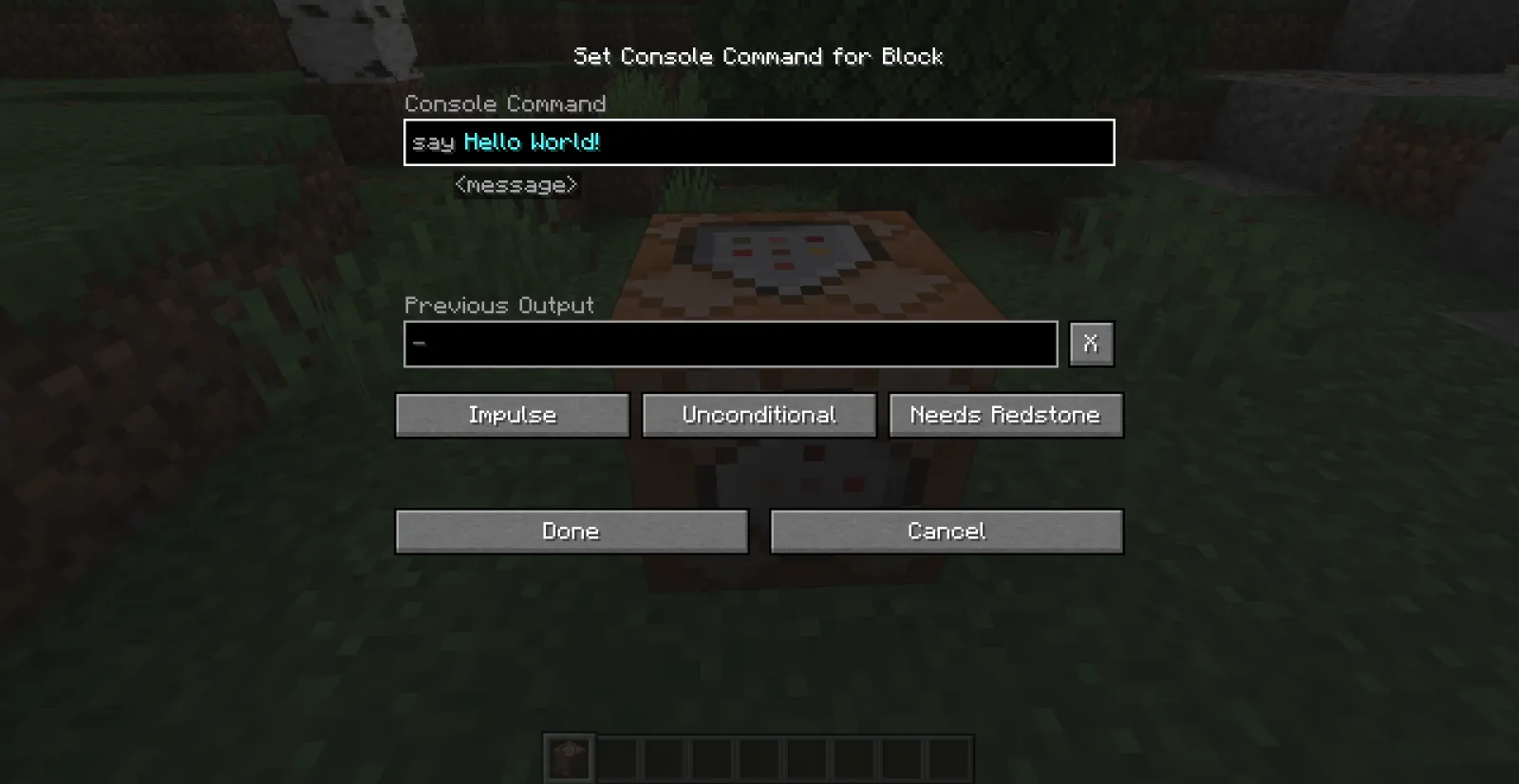
Java Edition commands
Java uses the /experience command family (with /xp as a shorthand alias on many versions).
- Add XP points: /experience add @s 500 points
- Add XP levels: /experience add @s 5 levels
- Set exact levels: /experience set @s 30 levels
- Set exact points: /experience set @s 0 points
- Query amount: /experience query @s levels
Need to target others? Swap @s for @p, @a, a username, or a selector with filters. Example: /experience add @a[team=red] 3 levels.
Bedrock Edition commands
Bedrock still commonly uses /xp syntax. In current builds, you'll usually enter an amount plus optional player target, and levels are often marked with L in command usage. If autocomplete shows a slightly different pattern on your device, follow the in-game prompt because Bedrock command hints are now pretty reliable.
- Typical level add: /xp 5L @s
- Typical point add: /xp 500 @s
- Check current value: use the command suggestions for your build to query levels or points
Small caveat, actually, not that small: Bedrock syntax can differ a bit across platform builds and Realms tooling. If a copied command errors out, type /xp and let autocomplete fill the exact argument order for your version.
That one habit saves a ridiculous amount of time.
Best real-world uses (that aren't just "give me level 100")
I've tested XP workflows on private SMP worlds, a minigame lobby, and one very chaotic "hardcore but with second chances" event server. The most useful setups are boring on paper and brilliant in practice.

1) Enchanting test bench
When you're balancing custom loot tables or datapacks, you want repeatable enchanting results. Set players to a fixed level before each test round:
- /experience set @p 30 levels
- /experience set @p 0 points
This removes noise from previous runs and makes comparisons fair.
2) Event rewards for PvP or parkour
Raw XP points are great for fine-tuned rewards. Levels are better for "big moment" payouts. For example, I award points per checkpoint and levels for podium finish. Players feel both steady progress and a proper win spike.
Ever watched someone miss first place by half a block and still leave smiling because they got enough XP for enchants? That's good reward design.
3) New player catch-up on EU servers
EU evening traffic is peak chaos, and late joiners often quit if they're too far behind. A light catch-up command helps retention without wrecking progression:
- First login pack: food, tools, and 5 levels
- Weekend bonus: points only, so it feels helpful but not broken
Keep it modest. If everyone jumps straight to max enchants, your economy turns into enchanted-book inflation by Sunday.
4) Admin repair after bugs or rollbacks
Rollbacks happen. Plugins misfire. Someone loses XP from a crash. Using query plus set commands lets you restore accounts cleanly and log what changed.
Do this with a written policy, not vibes.
Common mistakes, limits, and safety checks
Most XP command disasters are preventable.

First: don't mix "points" and "levels" in your head. Second: don't blast @a commands from console without testing on yourself. Third: log every bulk XP action if you're running a public server.
My safe workflow looks like this:
- Run on @s first.
- Query result to confirm exact change.
- Run on a filtered selector, like one team or one radius.
- Only then run global commands.
Also, huge XP values can create weird gameplay side effects, especially with mods or custom progression plugins. Not always crashes, but definitely "why is this player instantly skipping my quest chain" moments.
And if you're creating command tutorials or roleplay content, lean into theme. A lot of players browsing command content also like command-themed skins, so these fit nicely in guide hubs: commandblock370 Minecraft Skin, commandblock Minecraft Skin, CommandNinja Minecraft Skin, CommandZomb Minecraft Skin, and tankcommanderash Minecraft Skin.
Yes, cosmetics don't improve syntax. But they do improve morale while debugging command chains at 1 a.m.
Version and platform notes for 2026 players
Command behavior has stayed pretty stable lately, but release cadence matters for documentation. PCGamesN reported Mojang's current "drop" model as roughly quarterly, with 1.26.1 discussed in the March 2026 window. That means command examples online can age fast if a minor patch adjusts parser hints or autocomplete wording.

One quick tangent. If you play across console and PC, you already know text entry is half the battle on controller. The Loadout reported Mojang's PS5 native rollout work back in 2024, and since then console command usability has generally improved, but autocomplete remains your best friend, especially for Bedrock argument order.
So what should you do in practice?
- Test critical command chains after each drop update.
- Store known-good command snippets in a server doc.
- For cross-platform communities, keep separate Java and Bedrock examples.
- Use command blocks for repeatable reward logic, not manual chat spam.
One more self-correction before someone yells in Discord: if your Realm or server layer rewrites permissions, a valid XP command can fail even when syntax is correct. That's not the command, that's your permission stack.
When your setup is clean, the minecraft xp command is still one of the most useful admin tools in the game. Fast, precise, and easy to automate.

Lead writer at minecraft.how. Long-time Minecraft player running a small SMP server, testing every build, mod, and seed before writing about it.
Preguntas Frecuentes
¿Cuál es la diferencia clave entre agregar puntos y niveles de XP en Minecraft?
¿Cómo se evita el error común de mezclar puntos y niveles de XP en servidores de comunidad?
¿Qué comando se usa para establecer exactamente 30 niveles de XP en una edición de Java?
¿Por qué es importante probar comandos con `@s` antes de aplicarlos a todos (`@a`) en un servidor?
Have a Question or Tip about this Guide?Community Q&A
Ask a question or help other players below. Join the discussion and share your Minecraft tips!
Comentarios
Aún no hay comentarios. ¡Sé el primero en compartir tu opinión!