Lockdown Life - Modern Survival Character
✓ 承認済み
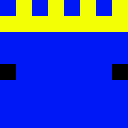
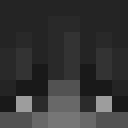
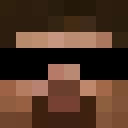
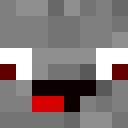
The Lockdown Life skin captures the spirit of resilience and adaptability during challenging times. This modern character design features casual, everyday clothing perfect for surviving in isolation or post-apocalyptic scenarios. The skin likely showcases comfortable streetwear elements like a hoodie or jacket, paired with practical pants and sneakers. Subtle details may include a face mask or protective gear, reflecting the lockdown theme. The color palette probably consists of muted, practical tones that blend urban style with survivalist aesthetics. This skin appeals to players who want a relatable, contemporary character that tells a story of perseverance and everyday heroism. Perfect for roleplay servers, modern city builds, or survival gameplay where realism matters. The design strikes a balance between casual comfort and prepared readiness, making it versatile for various Minecraft scenarios from urban exploration to bunker survival.
51
ダウンロード
4.0K
閲覧数
0
いいね
カテゴリー
モダンパーカー
skins.download_format
このスキンを共有
スマホでスキャンしてこのスキンを共有
タグ
MinecraftスキンLockdown Life - Modern Survival Characterjavaneutralモダンパーカー
よくある質問
Lockdown Life - Modern Survival Character のMinecraftスキンをダウンロードするには:
- 「ダウンロード」ボタンをクリックして、この無料の Lockdown Life - Modern Survival Character スキンを入手します
- スキンファイル
.pngがデバイスに保存されます - Java版 と 統合版 の両方で動作します
- 完全なインストール手順については以下を参照してください
Lockdown Life - Modern Survival Character スキンを適用するには:
- Minecraft公式サイトで MojangまたはMicrosoft アカウントにログインします。
- プロフィールの「スキン」セクションに移動します。
- ダウンロードした
.pngファイルをアップロードします。 - Minecraftを起動すると、キャラクターは Lockdown Life - Modern Survival Character スキンを使用します。
注意: Minecraft Java版 と Minecraft 統合版 では手順が多少異なる場合があります。
はい、Lockdown Life - Modern Survival Character スキンは Minecraft Java版 と Minecraft 統合版 の両方に対応しています。ただし、スキンの適用方法はバージョンによって多少異なる場合があります。お使いのエディションに合わせて、このページの手順に従ってください。
もちろんです! Minecraftスキンエディター を使って Lockdown Life - Modern Survival Character スキンを編集できます。ダウンロードした
.png ファイルをエディターで開き、変更を加えて保存してください。その後、編集したスキンをMinecraftプロフィールにアップロードします。Lockdown Life - Modern Survival Character スキンが機能しない場合は、以下を試してください:
- 正しいファイル形式
.pngをダウンロードしたことを確認してください。 - Minecraftの正しいバージョン(Java版 または 統合版)を使用していることを確認してください。
- スキンファイルが破損していないことを確認してください。必要に応じてスキンを再ダウンロードしてください。
- MojangまたはMicrosoft アカウントからログアウトして再度ログインし、プロフィールを更新してください。
Create your own skin
Draw a pixel-perfect Minecraft skin in the browser with our free 3D skin editor.
→ スキン作成ツール