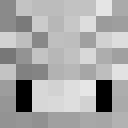
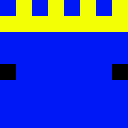
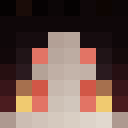
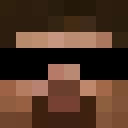
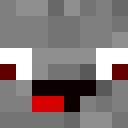
Chief XD - Gaming Character Skin
✓ 承認済み
The Chief XD skin brings a gaming-inspired character to your Minecraft world with a modern, casual aesthetic. This skin likely features a contemporary design with bold lettering or branding elements that reference the 'XD' emoticon, suggesting a fun and lighthearted personality. The 'Chief' designation implies a leadership or authority figure, possibly featuring casual streetwear or gaming culture elements like hoodies, caps, or branded clothing. Perfect for players who want to represent gaming culture or express their playful side in-game, this skin combines modern fashion with a relaxed vibe. The design likely incorporates clean lines and a youthful appearance, making it ideal for casual servers, minigames, or creative builds. Whether you're leading your squad or just hanging out with friends, this skin reflects a confident, gaming-savvy character.
39
ダウンロード
1.6K
閲覧数
0
いいね
カテゴリー
男の子ゲームモダンパーカー
skins.download_format
このスキンを共有
スマホでスキャンしてこのスキンを共有
タグ
MinecraftスキンChief XD - Gaming Character Skinjavaneutral男の子ゲームモダンパーカー
よくある質問
Chief XD - Gaming Character Skin のMinecraftスキンをダウンロードするには:
- 「ダウンロード」ボタンをクリックして、この無料の Chief XD - Gaming Character Skin スキンを入手します
- スキンファイル
.pngがデバイスに保存されます - Java版 と 統合版 の両方で動作します
- 完全なインストール手順については以下を参照してください
Chief XD - Gaming Character Skin スキンを適用するには:
- Minecraft公式サイトで MojangまたはMicrosoft アカウントにログインします。
- プロフィールの「スキン」セクションに移動します。
- ダウンロードした
.pngファイルをアップロードします。 - Minecraftを起動すると、キャラクターは Chief XD - Gaming Character Skin スキンを使用します。
注意: Minecraft Java版 と Minecraft 統合版 では手順が多少異なる場合があります。
はい、Chief XD - Gaming Character Skin スキンは Minecraft Java版 と Minecraft 統合版 の両方に対応しています。ただし、スキンの適用方法はバージョンによって多少異なる場合があります。お使いのエディションに合わせて、このページの手順に従ってください。
もちろんです! Minecraftスキンエディター を使って Chief XD - Gaming Character Skin スキンを編集できます。ダウンロードした
.png ファイルをエディターで開き、変更を加えて保存してください。その後、編集したスキンをMinecraftプロフィールにアップロードします。Chief XD - Gaming Character Skin スキンが機能しない場合は、以下を試してください:
- 正しいファイル形式
.pngをダウンロードしたことを確認してください。 - Minecraftの正しいバージョン(Java版 または 統合版)を使用していることを確認してください。
- スキンファイルが破損していないことを確認してください。必要に応じてスキンを再ダウンロードしてください。
- MojangまたはMicrosoft アカウントからログアウトして再度ログインし、プロフィールを更新してください。
Create your own skin
Draw a pixel-perfect Minecraft skin in the browser with our free 3D skin editor.
→ スキン作成ツール