Skin showcase
Watch Page →Mahoraga___ Minecraftスキン
✓ 承認済み
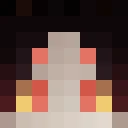
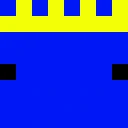
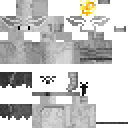
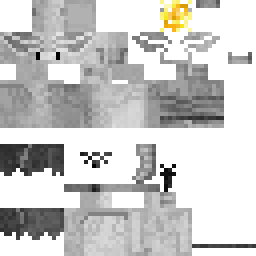
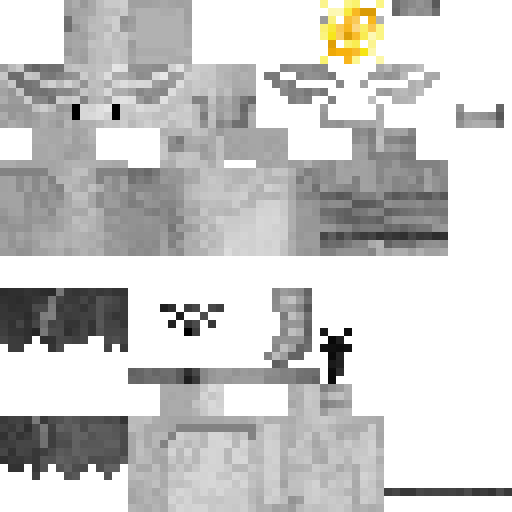
マホラガのロールを演じてください。Jujutsu Kaisenの伝説的なEight-Handled Sword Divergent Sila Divine Generalです。この詳細に作られたアニメskinnは、最も強力なshikigamiを例外的な正確さでMinecraftにもたらします。象徴的な白い儀式的な外観と独特なマーキング、頭上の特徴的なホイール法輪、そしてマホラガをアニメの最も強大な存在の一つにしている威圧的な神聖な存在感を特徴としています。究極の力と神秘的なエネルギーをMinecraftの冒険に体現したいプレイヤーに最適です。このskinnは、この呪いの精霊の神聖な性質の本質を捉えており、アニメファン、Jujutsu Kaisenの愛好家、そしてユニークで強力なキャラクターデザインを求めるプレイヤーに理想的です。このアニメの最も象徴的な超自然的な存在の綿密に作られた表現を使って、どのserverでも目立ってください。
315
ダウンロード
7.1K
閲覧数
0
いいね
リアクション
リアクションするにはログインしてください。
カテゴリー
アニメゲームファンタジーモンスター戦士
Minecraft profile
0025d22a-71b3-4721-a565-95f57ebeacb9Model
classic
Views / 30 days
501
Observed names
Dates show when minecraft.how first observed each name.
Mahoraga___—
Skin history
History grows as minecraft.how observes profile changes.

Head command
/give @p minecraft:player_head[profile={name:"Mahoraga___"}]PNG · 64×64

タグ
MinecraftスキンMahoraga___javaneutralアニメゲームファンタジーモンスター戦士
よくある質問
Mahoraga___ のMinecraftスキンをダウンロードするには:
- 「ダウンロード」ボタンをクリックして、この無料の Mahoraga___ スキンを入手します
- スキンファイル
.pngがデバイスに保存されます - Java版 と 統合版 の両方で動作します
- 完全なインストール手順については以下を参照してください
Mahoraga___ スキンを適用するには:
- Minecraft公式サイトで MojangまたはMicrosoft アカウントにログインします。
- プロフィールの「スキン」セクションに移動します。
- ダウンロードした
.pngファイルをアップロードします。 - Minecraftを起動すると、キャラクターは Mahoraga___ スキンを使用します。
注意: Minecraft Java版 と Minecraft 統合版 では手順が多少異なる場合があります。
はい、Mahoraga___ スキンは Minecraft Java版 と Minecraft 統合版 の両方に対応しています。ただし、スキンの適用方法はバージョンによって多少異なる場合があります。お使いのエディションに合わせて、このページの手順に従ってください。
もちろんです! Minecraftスキンエディター を使って Mahoraga___ スキンを編集できます。ダウンロードした
.png ファイルをエディターで開き、変更を加えて保存してください。その後、編集したスキンをMinecraftプロフィールにアップロードします。Mahoraga___ スキンが機能しない場合は、以下を試してください:
- 正しいファイル形式
.pngをダウンロードしたことを確認してください。 - Minecraftの正しいバージョン(Java版 または 統合版)を使用していることを確認してください。
- スキンファイルが破損していないことを確認してください。必要に応じてスキンを再ダウンロードしてください。
- MojangまたはMicrosoft アカウントからログアウトして再度ログインし、プロフィールを更新してください。