PackGod Minecraft Skin
✓ Goedgekeurd
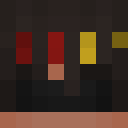
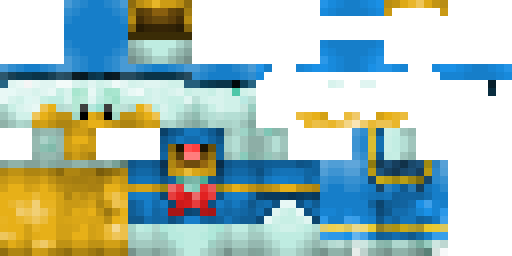
PackGod drops onto your character like a set of forged plates. The base is matte black, layered with sharp shoulder pads and a chest plate that catches light. Red lines run along the edges, glowing faintly in low light. The helmet has a visor that narrows the view, adding an intimidating feel. The legs and boots follow the same pattern, keeping the look tight and consistent.
Use it when you want to stand out in PvP arenas or simply give your base a tougher look. It works well on servers that allow custom skins, and it reads clearly even from a distance, so teammates can spot you fast. The glowing accents help when you explore caves at night. Pair it with a sword or bow and you’ll have a ready-to-fight appearance without extra mods.
Use it when you want to stand out in PvP arenas or simply give your base a tougher look. It works well on servers that allow custom skins, and it reads clearly even from a distance, so teammates can spot you fast. The glowing accents help when you explore caves at night. Pair it with a sword or bow and you’ll have a ready-to-fight appearance without extra mods.
0
Downloads
44
Weergaven
Skin-informatie
Minecraft-versie:Elke
Bestandsgrootte:Onbekend
Geslacht:Onbekend
Geüpload door:minecraft.how BOT
Minecraft profile
a1bd47cd-3636-4481-9ea0-265f37fba40dModel
classic
Views / 30 days
43
Observed names
Dates show when minecraft.how first observed each name.
PackGod—
Skin history
History grows as minecraft.how observes profile changes.

Head command
/give @p minecraft:player_head[profile={name:"PackGod"}]Gebruikers met dezelfde textuur (2 totaal)
2
Totaal gebruikers
130
Gecombineerde weergaven
0
Gecombineerde downloads

PNG · 64×64
Deel deze skin
Scan met je telefoon om deze skin te delen
Tags
MinecraftSkinsPackGod
Veelgestelde vragen
Om de PackGod Minecraft-skin te downloaden:
- Klik op de knop «Downloaden» om deze gratis PackGod-skin te krijgen
- Het skinbestand
.pngwordt opgeslagen op je apparaat - Werkt met zowel Java Edition als Bedrock Edition
- Zie hieronder voor de volledige installatie-instructies
Om de PackGod-skin toe te passen:
- Log in op je Mojang- of Microsoft-account op de officiële Minecraft-website.
- Ga naar het onderdeel «Skins» in je profiel.
- Upload het gedownloade
.png-bestand. - Start Minecraft en je personage gebruikt nu de PackGod-skin.
Let op: het proces kan iets verschillen tussen Minecraft Java Edition en Minecraft Bedrock Edition.
Ja, de PackGod-skin is compatibel met zowel Minecraft Java Edition als Minecraft Bedrock Edition. De methode om de skin toe te passen kan echter iets verschillen tussen de twee versies. Volg de instructies op deze pagina voor jouw specifieke editie.
Absoluut! Je kunt de PackGod-skin bewerken met een Minecraft-skineditor. Open gewoon het gedownloade
.png-bestand in de editor, breng je wijzigingen aan en sla het bestand op. Upload vervolgens de bewerkte skin naar je Minecraft-profiel.Als de PackGod-skin niet werkt, probeer dan het volgende:
- Zorg dat je het juiste bestandsformaat
.pnghebt gedownload. - Zorg dat je de juiste versie van Minecraft gebruikt: Java Edition of Bedrock Edition.
- Controleer of het skinbestand niet beschadigd is. Download de skin opnieuw indien nodig.
- Log uit en weer in op je Mojang- of Microsoft-account om je profiel te vernieuwen.
Maak je eigen skin
Teken een pixelperfecte Minecraft-skin in de browser met onze gratis 3D-skineditor.
→ Skin Maker