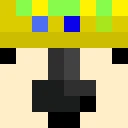
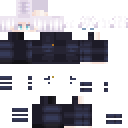
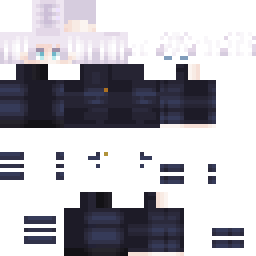
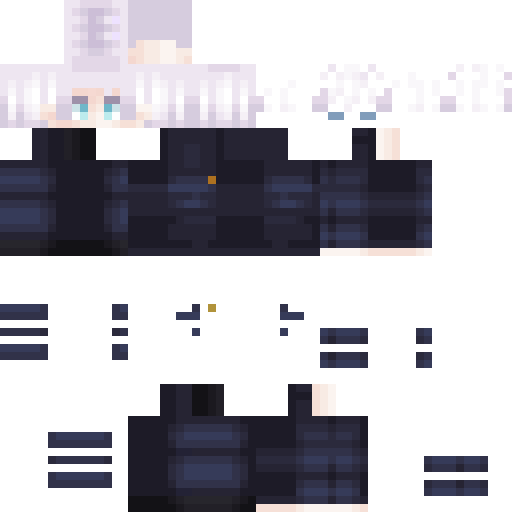
Skin showcase
Watch Page →Skin de Minecraft Piel desconocida
✓ Aprobado
chico,formal,anime,gojo,gafas de sol
127
Descargas
3.2K
Vistas
1.8K
Me gusta
Reacciones
Inicia sesión para reaccionar.
Información del skin
Versión de Minecraft:java
Tamaño del archivo:1.2 KB
Género:Desconocido
Subido por:BOT
Fecha de subida:12/4/2025
Minecraft profile
5febe83c-218a-b698-b900-3e44cd249ef5Model
classic
Views / 30 days
38
Observed names
Dates show when minecraft.how first observed each name.
Piel desconocida—
Skin history
History grows as minecraft.how observes profile changes.

Head command
/give @p minecraft:player_head[profile={name:"Piel desconocida"}]PNG · 64×64
Compartir este skin
Escanea con tu teléfono para compartir este skin
Etiquetas
MinecraftSkinsPiel desconocidajavaneutral
Preguntas frecuentes
Para descargar el skin de Minecraft Piel desconocida:
- Haz clic en el botón «Descargar» para obtener este skin gratuito de Piel desconocida
- El archivo del skin
.pngse guardará en tu dispositivo - Funciona tanto con Java Edition como con Bedrock Edition
- Consulta a continuación las instrucciones completas de instalación
Para aplicar el skin Piel desconocida:
- Inicia sesión en tu cuenta de Mojang o Microsoft en el sitio web oficial de Minecraft.
- Ve a la sección «Skins» de tu perfil.
- Sube el archivo
.pngdescargado. - Inicia Minecraft y tu personaje usará ahora el skin Piel desconocida.
Nota: el proceso puede variar ligeramente entre Minecraft Java Edition y Minecraft Bedrock Edition.
Sí, el skin Piel desconocida es compatible tanto con Minecraft Java Edition como con Minecraft Bedrock Edition. Sin embargo, el método de aplicación del skin puede diferir ligeramente entre ambas versiones. Sigue las instrucciones proporcionadas en esta página para tu edición específica.
¡Por supuesto! Puedes editar el skin Piel desconocida usando un editor de skins de Minecraft. Simplemente abre el archivo
.png descargado en el editor, haz tus cambios y guarda el archivo. Luego, sube el skin editado a tu perfil de Minecraft.Si el skin Piel desconocida no funciona, prueba lo siguiente:
- Asegúrate de haber descargado el formato de archivo correcto
.png. - Asegúrate de estar usando la versión correcta de Minecraft Java Edition o Bedrock Edition.
- Comprueba que el archivo del skin no esté dañado. Vuelve a descargar el skin si es necesario.
- Cierra sesión y vuelve a iniciar sesión en tu cuenta de Mojang o Microsoft para actualizar tu perfil.
Crea tu propia skin
Dibuja una skin de Minecraft con precisión de píxel en el navegador con nuestro editor de skins 3D gratuito.
→ Creador de Skins