Using DiscordSRV to Bridge Discord and Minecraft Servers
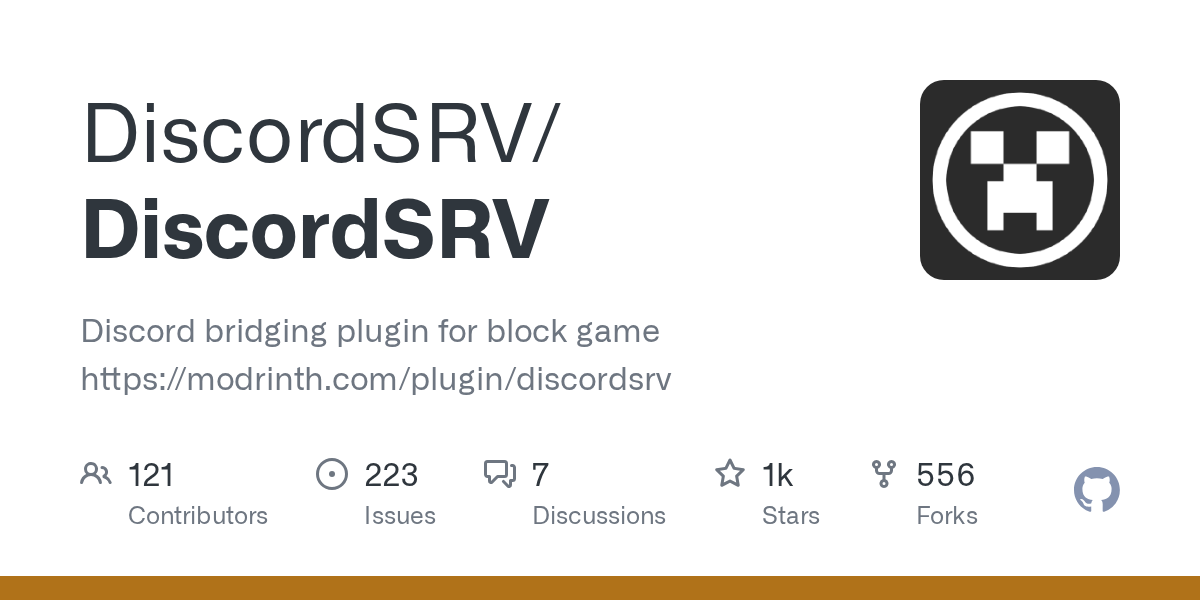
"Discord bridging plugin for block game https://modrinth.com/plugin/discordsrv"
DiscordSRV/DiscordSRV · github.com
If you're running a Minecraft server, you've probably wished your players could stay connected even when they log off. DiscordSRV does exactly that by linking your in-game chat to Discord, letting your community talk across both platforms simultaneously. No more scattered conversations or players missing server announcements.
What DiscordSRV Does
DiscordSRV is a Java plugin that creates a two-way bridge between your Minecraft server and a Discord guild. Players chat in-game and the message appears in Discord. Someone types in a Discord channel and it shows in Minecraft chat. It's straightforward, but it fundamentally changes how your community communicates.
The plugin's been around for years and has over 1130 stars on GitHub, with more than a million downloads. Version 1.30.4 is the latest release, and it runs on recent Minecraft versions without breaking a sweat. For a Java plugin that does something this useful, the codebase is clean and actively maintained.
Why You'd Want This
Think about your typical server scenario. Someone gets stuck at a mob grinder and needs help, but nobody's online. With Discord integration, they can ask in the server's chat channel and get a response even if players are offline. Mods can warn about maintenance windows, announce events, or post coordinates to important structures.
It's also great for transparency. New players see activity happening in Discord before they even join, so the server feels alive. Guilds and clans can use their own Discord servers with DiscordSRV to keep their Minecraft operations organized alongside voice chat and role assignments.
Another angle: you're essentially getting a persistent chat log. Everything gets recorded in Discord, which is useful if you need to reference who said what or when something happened on the server.
Getting DiscordSRV Running
Installation's pretty standard for a Spigot-style plugin (Spigot, Paper, Purpur all work). Here's the actual process:
- Download the latest JAR from the GitHub releases page (currently v1.30.4)
- Drop it into your server's
pluginsfolder - Restart the server
- Edit the generated
config.ymlfile inplugins/DiscordSRV/ - Add your Discord bot token and channel IDs
- Restart again and you're done
The config file is pretty readable, honestly. It's not like some plugins where you're deciphering YAML soup. But you do need to know what you're doing with Discord bots, which brings us to the next part.
The Discord Bot Setup (Don't Skip This)
You'll need to create a Discord bot and invite it to your guild. If you've never done this before, it takes maybe five minutes. Here's the short version:
- Go to the Discord Developer Portal
- Click "New Application" and give it a name (something like "MyServerBot")
- Go to the "Bot" tab and click "Add Bot"
- Copy the token (keep this secret, seriously)
- Under "OAuth2 > URL Generator", select "bot" scope and necessary permissions (Send Messages, Read Messages, etc.)
- Copy the generated URL and open it to invite the bot to your guild
Then paste that token into DiscordSRV's config. The plugin will handle the rest.
Key Features That Matter
Two-way chat synchronization is the core feature. Messages flow both directions with clear indicators of who's speaking and where they're from. You can customize the message format if you want something different than the default.
Player status notifications are built in. When someone joins or leaves the server, Discord sees it. This keeps your community aware of activity, especially on smaller servers where every player counts.
Command forwarding lets you configure certain Discord commands to execute on the server. Need to give someone OP or run a weather command remotely? You can set that up in the config. Just be careful with permissions so you don't accidentally let random Discord members mess with your world.
Role synchronization is another one. You can link Minecraft teams to Discord roles, which is useful if you're trying to manage a structured community with verified members. It requires some config work but it's solid.
Death messages and advancement notifications can sync to Discord too. It's not critical, but it does add to the atmosphere if you want your Discord channel to feel like the server's happening right there.
What Trips People Up
The biggest gotcha is permissions. If your bot doesn't have Send Messages permission in the target channel, it'll silently fail and you'll spend an hour wondering why nothing's working. Check the bot's permissions first.
Secondly, the plugin uses JDA (Java Discord API) under the hood. If you're running an older server version, compatibility can be sketchy. But if you're on anything reasonably recent (Minecraft 26.1.2 or so), you're fine. Actually, that only works on 1.20+ servers anyway.
Rate limiting is a real thing. Discord has limits on how many messages you can send per minute. On massive servers with heavy chat, you might hit those limits. The plugin handles it gracefully by queuing messages, but there's a slight delay.
One more thing: webhook mode vs bot mode. The plugin can work as a webhook for lighter message forwarding, or as a full bot with more features. Webhook mode is faster but bot mode gives you more flexibility. Read the config comments and pick what fits your server size.
Practical Additions for Your Server
If you're building out your server infrastructure, you'll probably also need basic tools like a Minecraft whitelist creator to manage who joins. And if you're setting up a SMP with nether portals, the Nether portal calculator saves time getting coordinates right.
DiscordSRV works great alongside these. You can announce coordinates in Discord, whitelist players, and keep everything coordinated.
Alternatives Worth Mentioning
There's SyncDisc if you want something lighter weight, but it's less actively developed. Bridger does a similar job but focuses more on advanced role mapping.
Honestly though, for the vast majority of servers, DiscordSRV just works. It's the established standard for a reason. The maintainers actually care about keeping it current (notice they fixed advancement issues with Minecraft 1.21.11 already), which matters.
Bottom line: if your server has more than a handful of players, DiscordSRV pays for itself in community cohesion. Set it up once and forget about it.

Lead writer at minecraft.how. Long-time Minecraft player running a small SMP server, testing every build, mod, and seed before writing about it.