Mining Bedrock in Minecraft: Complete Fabric-Bedrock-Miner Guide
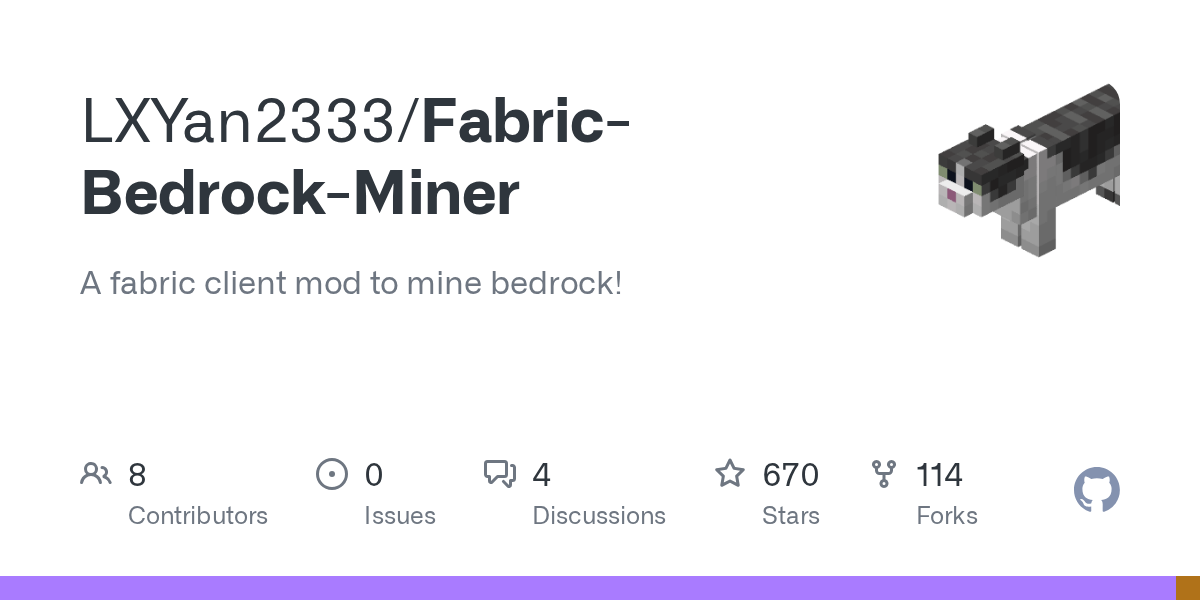
"A fabric client mod to mine bedrock!"
LXYan2333/Fabric-Bedrock-Miner · github.com
Bedrock is supposed to be unbreakable in vanilla Minecraft survival. The Fabric-Bedrock-Miner mod changes that rule entirely, letting you mine bedrock blocks like any other material. If you've ever wanted to excavate massive underground areas or completely reshape your world's foundation, this mod makes it actually possible.
What This Mod Does
Let's be direct: Fabric-Bedrock-Miner is a Fabric client mod written in Kotlin that lets you left-click bedrock and watch it break. That's the core feature. Sounds simple enough, but the implications are huge if you run a long-term world or want to do serious terraforming. The mod currently supports Minecraft 1.19.4 and comes with a 670-strong community of users on GitHub who clearly think it's worth the install.
This isn't a cheat-code situation where you just spam-click and bedrock disappears instantly. The mod respects Minecraft's mining mechanics. You'll need a proper pickaxe (Efficiency V diamond or netherite at minimum), a Haste II beacon for speed, pistons to push blocks, redstone torches for power, and slime blocks for movement. So it's not like you're bypassing the game's logic entirely. You're just removing the artificial restriction that normally says "bedrock can't be mined."
Why You'd Want This
Most players never touch bedrock because they don't need to.
But if you're running a long-running SMP (small multiplayer server) or a serious single-player world, bedrock becomes annoying. Maybe you want to clear out a massive underground base and there's bedrock in the way. Honestly, maybe you're building an end-game mega-project that involves terraforming the entire landscape. Maybe you've just spent three months at Y-level and you're tired of staring at that black ceiling. The mod solves all of that. It's the kind of tool that sits unused until suddenly you need it, and then you're genuinely grateful it exists.
If you're playing vanilla, bedrock blocks are wasted space. With this mod, they're just expensive blocks to harvest. That's a meaningful shift for world-building on a longer timescale.
How to Install and Configure
First, you'll need Fabric mod loader installed. If you don't have it yet, grab it from fabric.net and follow their setup guide. The process takes five minutes and is the standard entry point for Fabric mods.
Once Fabric is ready, download the latest release (version 1.0.1) from the GitHub releases page.
cd ~/.minecraft/mods
wget https://github.com/LXYan2333/Fabric-Bedrock-Miner/releases/download/1.0.1/bedrock-miner-1.0.1.jar
Drop the JAR file into your mods folder, launch Minecraft with the Fabric profile, and you're in business. The mod loads automatically on startup.
Configuration happens in-game. Press LEFT_ALT + B + C to open the config menu (you can rebind these keys if you hate the default combo). From there, you can tweak behavior and set custom hotkeys. Press LEFT_ALT + B + M to toggle the mod on and off without restarting.
And actually, that hotkey system is smart. You don't have to worry about accidentally mining bedrock in survival worlds where you don't want to. Just disable it when you're not actively mining, and it won't interfere with normal gameplay.
Core Features and What You Need
The mod has one main feature and it does it well: you left-click bedrock and it breaks. But the implementation matters. Here's what makes it work:
- Pickaxe requirement: Efficiency V on a diamond or netherite pickaxe. But this isn't arbitrary. Bedrock is expensive to mine, so the mod requires top-tier gear. You can't just waltz up with an iron pickaxe and call it a day.
- Haste II beacon: You need beacon effects active for this to work properly. The mod syncs with Minecraft's status effect system, so no cheating around it. Set up a beacon at your mining site and you're golden.
- Support block system: Pistons, redstone torches, and slime blocks let you actually handle the blocks once they break. Bedrock is heavier than regular stone, conceptually, so you'll need proper redstone machinery to manage the blocks once they're floating.
The hotkey system is straightforward. By default, LEFT_ALT+B+M toggles the mod active or inactive. LEFT_ALT+B+C brings up the config screen. You can customize both of these in-game if the defaults clash with other mods you're running.
One detail I appreciate: the mod is a client-side mod, not a server mod. That means you can install it on your client and use it on any server that allows it, without the server needing to install anything. It won't work on vanilla servers (they'll kick you for breaking bedrock), but it'll work fine on servers running Fabric themselves or any permissive setup.
What Trips People Up
The most common mistake is showing up to bedrock without the right pickaxe. You need Efficiency V specifically. Efficiency IV won't cut it. I made this mistake the first time and wasted ten minutes clicking bedrock wondering why nothing happened.
The beacon requirement is also easy to overlook. Make sure you've got a Haste II beacon running nearby, not Haste I. And yes, you've to actually have the beacon active. Just having one in your base three chunks away won't work.
If you're running the mod on a multiplayer server, check the server rules first. Some servers (especially large public ones) disable client-side mods like this to prevent abuse. You won't get an error message about it; you'll just click bedrock and nothing will happen, which is confusing. If you're hosting your own server, you can allow it in the server properties (grab a server properties generator if you need one).
Also worth noting: the mod is for 1.19.4. If you're on 26.1.2 (the latest Java release), you might be on a newer snapshot. The maintainer does update for new versions, but there's sometimes a lag between a Minecraft release and mod support. Check the GitHub releases page to confirm your version is supported before installing.
Similar Projects and Alternatives
Fabric-Bedrock-Miner has a narrow focus and does it well. There aren't many direct competitors, but if you're looking at the broader world of Fabric mods for world-editing, you've got options.
WorldEdit is the heavyweight choice if you want a full-featured terraforming solution. It's more complex and overkill if all you want to do is mine bedrock, but it's powerful. Likewise, some players prefer building their entire worlds in Creative mode and copy-pasting them into survival with mods. But those approaches are fundamentally different from what Fabric-Bedrock-Miner does. But this mod lets you mine bedrock inside your survival world with survival mechanics intact. That's the unique angle.
For pure bedrock removal, this is the go-to on Fabric. The GitHub community is active, the licensing is GPL-3.0 so it's open source, and the 670 stars suggest it's genuinely useful to people.
Before You Start
This mod is genuinely impressive if you need it and worthless if you don't. There's no middle ground. If you're happy with vanilla survival and never feel blocked by bedrock, you don't need it. But if you've ever hit that black ceiling and thought "I wish I could just mine through this," here's your answer. The install process is painless, the config is intuitive, and it doesn't break anything else in your modpack.
Spend some time building your mining setup before you start. The pickaxe requirement is real, and the beacon won't find itself. But once you're ready, bedrock stops being a wall and becomes just another expensive mining project. That shift changes what you can do with your world.
Also, if you're working on cosmetic stuff, check out the free Minecraft skins gallery while you're here. Fresh skin, fresh world, fresh possibilities.
LXYan2333/Fabric-Bedrock-Miner - GPL-3.0, ★670 Open the Fabric-Bedrock-Miner repo ↗
Lead writer at minecraft.how. Long-time Minecraft player running a small SMP server, testing every build, mod, and seed before writing about it.