Minecraft Texture Pack Bedrock Guide for 2026

A minecraft texture pack bedrock guide in 2026 is mostly about picking the right pack for your device, game version, and patience level. Bedrock handles packs well, but Windows, mobile, Xbox, and PS5 still don't play by exactly the same rules.
What a minecraft texture pack bedrock setup is
People still say texture pack because that's the phrase everyone grew up with. Bedrock's official creator docs usually say resource pack, and that's the more accurate term because these packs can change textures, sounds, models, UI bits, and other visual content, not just block art.
Actually, let me correct that. On the player side, both terms are still used everywhere, including the Marketplace, so arguing about vocabulary is a very Minecraft forum thing to do. The practical point is simpler: if it edits how Bedrock looks and reads on screen, it lives in the resource-pack world.
Microsoft's Bedrock docs also still explain pack stacking, which is why two packs that both replace a single texture won't politely share. One wins. The other goes home annoyed.
Where Bedrock texture packs work best in 2026
Windows and mobile are still the least painful places to use custom packs. The current Microsoft Learn tutorial points Windows users to %appdata%\Minecraft Bedrock\users\shared\games\com.mojang, and Mojang's 1.21.120 Bedrock changelog says Windows file paths shifted into %APPDATA%\Minecraft Bedrock on first install load of that version. That's why old YouTube guides from 2023 keep sending people into dead folders.
So if a pack "used to work" and suddenly doesn't, check the path before you start blaming the creator. Nine times out of ten, Bedrock moved the furniture again.
Console players get the easy store and the annoying store
On Xbox and PlayStation, especially now that Minecraft runs natively on PS5, Bedrock is great for buying or claiming polished Marketplace packs. Mojang says the PS5 version launched on October 22, 2024 with 4K, 60 FPS, and a longer render distance, which is genuinely useful for cleaner city, medieval, and PvP-oriented packs.
But custom third-party importing on console is still the awkward part. Not impossible if you're chasing workarounds, but not something I'd recommend to normal humans who simply wanted nicer leaves after work.
And if you don't want to buy every pack individually, Marketplace Pass matters more than a lot of players realise. Mojang's own page says the catalog includes texture packs and follows your account on supported Bedrock devices, which is handy if you bounce between PC, tablet, and console.
Can you turn a Java pack into a minecraft texture pack bedrock pack?
Yes, sometimes. No, not cleanly. That's the honest answer.
Microsoft Learn's conversion guide lays out why: Bedrock and Java differ in folder structure, file names, metadata, animation handling, and sometimes even file formats. Bedrock can need.tga with alpha channels where Java got away with.png, animated textures rely on flipbook_textures.json, and some assets like spawn eggs or potion bottles need separate textures instead of automatic recolours.
This is why those "one-click converter" tools so often promise a miracle and deliver a half-broken chest texture. Suspicious villager energy.
- Best conversion candidates: simple 16x or 32x vanilla-plus packs that mostly swap block and item textures.
- Medium difficulty: packs with animated textures, custom particles, or renamed files.
- Usually messy: heavy UI overhauls, custom models, Java-only shaders, or packs that rely on metadata tricks.
- Worth checking first: whether the creator already ships an official Bedrock version. If they do, use that instead of playing file-rename roulette.
If you're building your own, the official Introduction to Resource Packs is still the cleanest starting point. It shows the current folder setup, the manifest.json requirement, and the basic "make sure your file is named exactly like the vanilla file you're replacing" rule that saves a stupid amount of time.
Vibrant Visuals changed Bedrock packs more than people expected
Bedrock in 2026 isn't just the console-friendly edition anymore. It's also the home of Vibrant Visuals, Mojang's official graphics refresh, and that changes how you should judge packs.
The creator docs say Bedrock's newer visual pipeline uses Texture Sets JSON for PBR-style layers like normal maps, emissive detail, and roughness. That sounds technical because it is technical, but the player takeaway is easy: some packs now target Bedrock's newer lighting and material system instead of just painting prettier pixels.
Mojang's current Vibrant Visuals FAQ is clearer than the early rollout was. The official page now says some Marketplace content supports Vibrant Visuals, and packs with the Vibrant Visuals label are built for that mode. So don't assume every old Bedrock pack will suddenly look amazing.
Actually, don't assume every old one is broken either. Flat, clean packs can still look great because they aren't trying to fake fancy materials in the first place.
If you're on PC, PS5, Xbox Series X|S, or a decent phone, look for recent updates, current screenshots, and explicit Bedrock or Vibrant Visuals notes. Mojang's official page lists supported devices and warns, quietly but clearly, that performance can vary. Beautiful water reflections are nice. Stable frame pacing is nicer.
How to choose the right Bedrock pack now
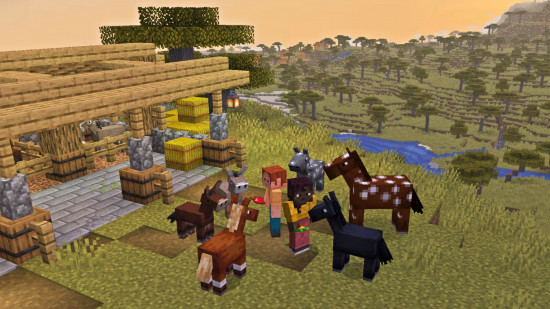
My pick for most players is boring in the best way: a clean 16x or 32x Bedrock pack that improves ores, glass, leaves, UI clutter, and low-contrast blocks without trying to turn Minecraft into a different game. Ever tried building a full kitchen with vanilla blocks and default textures? Yeah, suddenly "slightly clearer trapdoors" becomes a lifestyle issue.
I'd split Bedrock packs into four useful groups:
- Vanilla-plus builder packs: better block readability, softer noise, cleaner glass borders, and more usable storage rooms.
- PvP or survival clarity packs: stronger ore contrast, reduced visual clutter, cleaner particles, and less eye-melting fire.
- Realism packs: fun for screenshots, hit-or-miss for daily survival, and often the first to age badly after an update.
- Themed packs: medieval, cyberpunk, cartoon, horror. Great when you want a whole mood, not just sharper cobblestone.
And yes, skins matter more than people admit. If you're setting up screenshots or a themed Realm, a darker industrial pack pairs nicely with the Packson742 Minecraft skin and the moodier DARKBEDROCK123 Minecraft skin. Cleaner modern packs suit the BedrockHTML Minecraft skin, while brighter survival worlds look good with the PackMan200932 Minecraft skin or the neatly named resourcepack Minecraft skin.
64x and 128x packs can still be worth it on strong hardware, but on mobile they often feel like asking your phone to fry an egg and render a jungle temple at the same time.
Why update timing matters more in 2026
Mojang's official updates page says Minecraft now gets game drops several times a year, and the next Minecraft Live is scheduled for March 21, 2026. Mojang also named the next drop Tiny Takeover on March 3, 2026, and PCGamesN reported that a March 2026 arrival for 1.26.1 looked likely.
That faster update rhythm is good for players and mildly evil for pack creators. Every new drop is another chance for texture names, rendering behaviour, or UI assumptions to go sideways.
- Check the pack's last update date before you download anything.
- Match the pack to your exact edition, Bedrock, not Java, and your device if the creator lists platform notes.
- Read comments or bug reports for the current version, not the comments from two summers ago.
- Back up worlds before testing a heavy pack stack, especially if it edits UI or world-attached content.
- Keep one fallback pack, or just vanilla, ready in case a new drop turns your inventory icons into abstract art.
That's really the whole 2026 answer. The best minecraft texture pack bedrock option isn't the fanciest one, it's the one that matches your platform, still gets updated, and doesn't break the minute Mojang teaches baby mobs another trick.