Newb X Legacy: Shader Leggeri per Bedrock Edition
devendrn/newb-x-mcbe
Uno shader RenderDragon vanilla personalizzato per Minecraft Bedrock
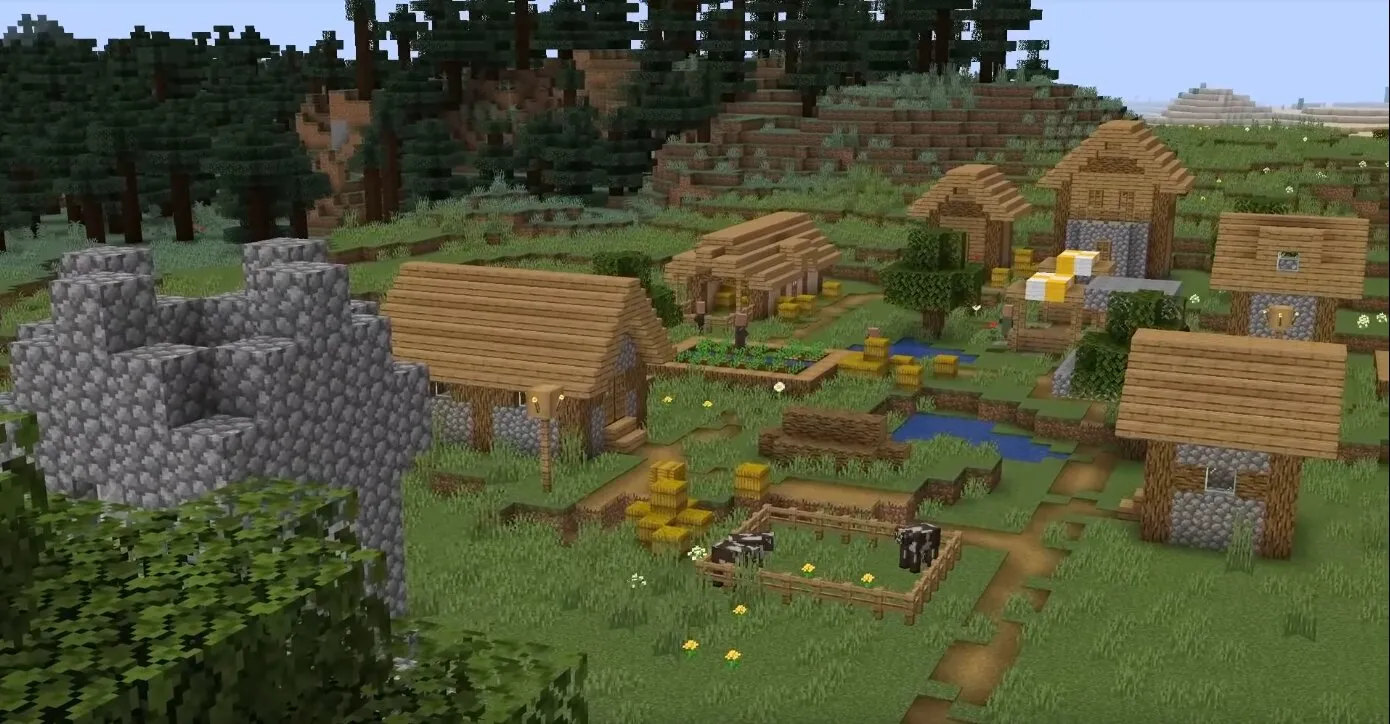
Visualizza su GitHub ↗Se ti è mai sembrato che vanilla Minecraft Bedrock abbia un aspetto un po' piatto, probabilmente ti sei chiesto degli shader. Il problema: la maggior parte degli shader Bedrock o massacrano il tuo frame rate o richiedono di immergersi in workaround loschi solo per installarli. Newb X Legacy è diverso. È uno shader RenderDragon leggero che aggiunge visivi davvero gradevoli - illuminazione soft, riflessi delle nuvole, effetti acqua migliorati, senza trasformare il tuo dispositivo in un tostapane.
Cos'è Newb X Legacy (E Perché Gli Shader Su Bedrock Sono Strani)
Bene, contesto veloce: gli shader non sono ufficialmente supportati su Minecraft Bedrock. Non è un segreto, è solo come Mojang ha costruito il motore. Java Edition ha OptiFine e un ecosistema di shader massivo. Bedrock, fino a poco tempo fa, non aveva alcun modo di sostituire la pipeline di rendering.
Entra in gioco il modding RenderDragon. Una comunità ha sviluppato workaround per sostituire gli shader predefiniti di Bedrock con quelli personalizzati. Newb X Legacy è l'evoluzione di un precedente progetto chiamato Newb Shader, riscritto per funzionare con l'attuale sistema RenderDragon. Il creatore, devendrn, si è concentrato su una cosa: visivi soft e estetici che non rovinano le prestazioni.
Il pacchetto shader supporta Minecraft Bedrock 1.26+, che copre Windows, Android e iOS. Esistono due versioni: Newb X Legacy (il ramo principale con quei visivi soft caratteristici) e Newb Classic (un'estetica diversa). Entrambi sono open source sotto licenza MIT, e sono genuinamente leggeri rispetto ad altri tentativi.
Perché Vorresti Questo
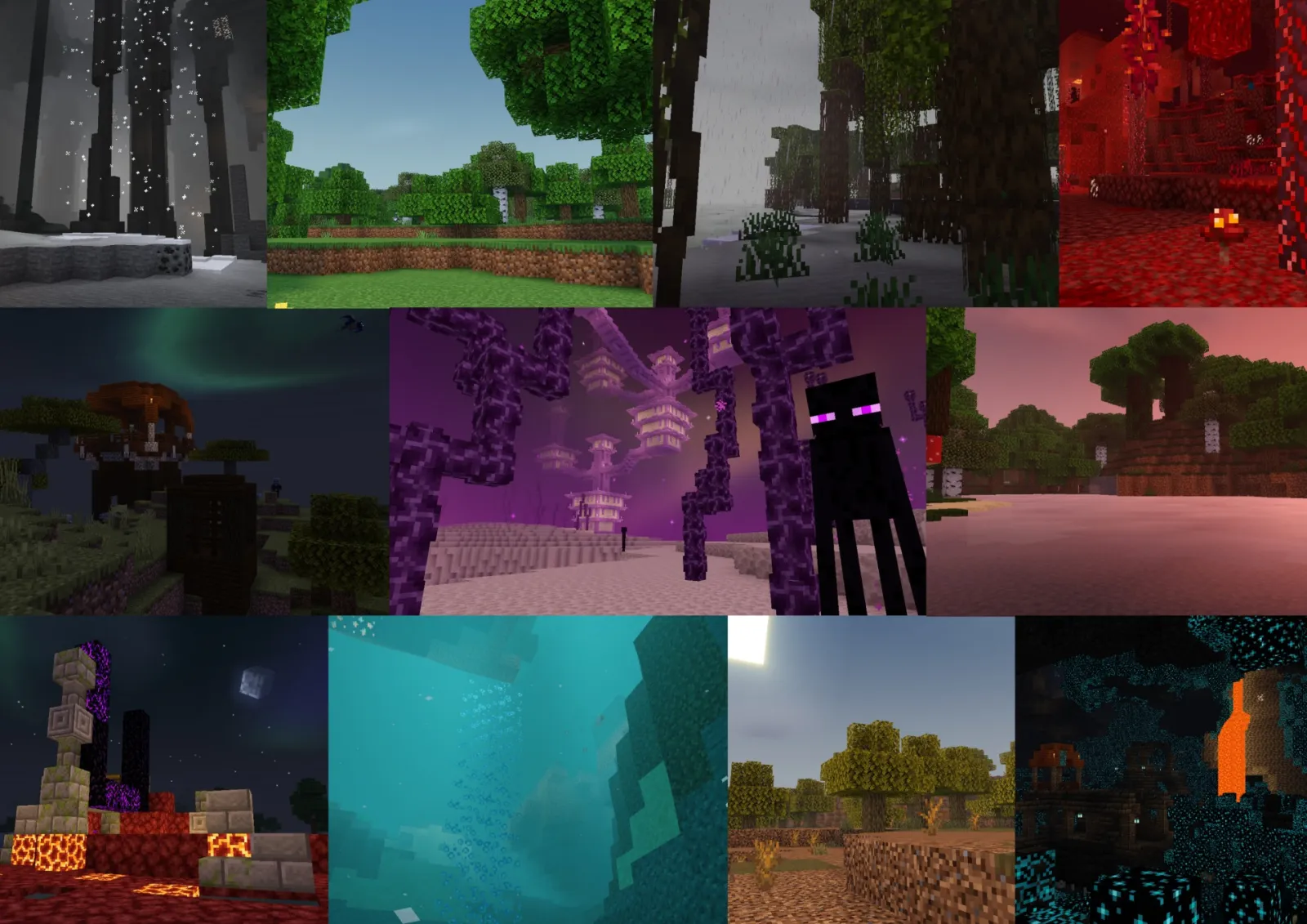
La maggior parte delle persone installa gli shader per una ragione: il gioco sembra migliore. È vero anche qui, ma l'angolazione è diversa dagli shader Java. Non stai ottenendo riflessi ray-traced folli o overhaul visivi estremi. Invece: curve di illuminazione migliorate, ombre più soft, riflessi reali sulle superfici dell'acqua (invece di quello specchio piatto), e tocchi stravaganti come un effetto galassia di notte.
Il vantaggio pratico? Puoi eseguire questo su hardware di fascia media. Il tuo Android del 2018 o l'ultimo iPad possono gestirlo senza problemi. Il tuo PC Windows con grafica integrata rimane sopra i 60fps. Questo è il valore reale - Bedrock finalmente ha un'opzione di shader che non richiede di possedere una GPU di fascia alta.
Le ombre delle nuvole ora si proiettano correttamente sul terreno. Il rumore dell'acqua e della lava è stato rinnovato. Le torce si mescolano correttamente con la luce solare invece di stare in un alone strano. La luce solare e lunare ruotano dinamicamente in base alla loro posizione nel cielo. Questi non sono effetti appariscenti di cui scriveresti a casa, ma in un'esecuzione di sopravvivenza di 40 ore, si sommano a un ambiente notevolmente migliore.
Installazione: Varia (Molto) In Base Alla Piattaforma
Qui è dove gli shader Bedrock diventano strani. Non c'è una soluzione universale di "drag and drop". Ogni piattaforma ha bisogno di un percorso diverso.
Windows
La rotta consigliata utilizza BetterRenderDragon, uno strumento che abilita MaterialBinLoader in Minecraft. Ecco cosa fare:
1. Scarica l'ultima versione di BetterRenderDragon da GitHub
2. Esegui lo strumento (esegue il patching dell'installazione di Minecraft)
3. Avvia Minecraft normalmente
4. Importa il file Newb X Legacy.mcpack attraverso il menu del pacchetto di risorse
5. Attivalo nelle risorse globali
Se BetterRenderDragon non ti piace, c'è Matject come alternativa. Entrambi realizzano la stessa cosa: iniettare codice shader nella pipeline di rendering. Il percorso Matject è più manuale, ma funziona se sei a tuo agio nel seguire guide di configurazione.
Android
Metodo più facile: MB Loader APK. Installalo da Google Play, avvia Minecraft attraverso di esso, quindi importa il pacchetto di shader normalmente. È tutto. L'APK gestisce l'iniezione di materiale dietro le quinte.
In alternativa, alcune persone usano un'app Minecraft patchata, ma l'approccio APK è meno complicato. (Avvertenza equa: l'utilizzo di app modificate esiste in un'area grigia con Mojang, sebbene la comunità lo faccia da anni senza conseguenze significative.)
Linux e Mac
Questo assume che tu stia eseguendo Minecraft attraverso mcpelauncher-manifest, un launcher della comunità per sistemi non Windows. Installa il mod mcpelauncher-materialbinloader, importa il pacchetto, attiva. Fatto.
Se sei su un'architettura più vecchia o vuoi semplicemente un metodo diverso, c'è anche mcpelauncher-shadersmod, che funziona ma richiede più complicazioni con le guide.
Funzionalità Chiave Che Contano
Effetto Galassia Di Notte
Principalmente cosmetico, ma quando stai in un'area buia a mezzanotte, c'è uno sfondo galattico sottile. Non è opprimente, aggiunge solo sapore alle notti stellate.
Ombre Nuvolose
Le ombre nuvolose in tempo reale si muovono effettivamente attraverso il terreno ora. Suona semplice, ma vanilla Bedrock non lo fa. Lo noti quando stai costruendo o coltivando - l'illuminazione cambia mentre le nuvole passano, il che sembra vivo.
Riflessi Acqua e Lava
L'acqua ora riflette effettivamente il terreno e il cielo (non solo uno scintillio piatto). Il dettaglio aggiunge immersione senza schiacciare le prestazioni. Anche la lava ha avuto un passaggio visivo - pattern di rumore migliori, più dinamici.
Illuminazione Solare e Lunare Migliorata
Il sole ora illumina il cielo stesso, non solo il terreno. La luce lunare ha una variazione di colore effettiva. La transizione all'alba è più fluida. Questi sono sottili ma notevoli se presti attenzione all'illuminazione.
Illuminazione Entità Migliore
I mob e i giocatori si illuminano più naturalmente nella luce delle torce e nella luce solare. Niente più ombre strane sul tuo personaggio.
Suggerimenti, Insidie, E Cosa Cattura Le Persone
Le prestazioni non sono garantite se le spinge. Su Android soprattutto, avere una distanza di rendering pesante + impostazioni shader massime + un mondo con shader intensivi può rovinare il framerate. Inizia con le impostazioni predefinite, quindi regola.
Gli shader su Bedrock sono ancora non ufficiali, il che significa che ogni aggiornamento di Minecraft potrebbe rompere le cose temporaneamente. Il manutentore di Newb X Legacy è stato al passo con Bedrock 1.26+, ma non è come Java dove il supporto degli shader è integrato. Se aggiorni Minecraft e gli shader smettono di funzionare, aspetta semplicemente alcuni giorni per una versione di patch.
Alcuni dispositivi mobili non lo supporteranno affatto - i telefoni economici low-end e i dispositivi più vecchi semplicemente non hanno la potenza della GPU. Guarda, non c'è un messaggio di errore che te lo dice in anticipo; lo scoprirai solo quando proverai a caricare il pacchetto e non si attiva.
I cieli personalizzati nei pacchetti di comportamento a volte entrano in conflitto con lo shader. È raro, ma se stai eseguendo un mondo molto modificato e il cielo sembra rotto dopo aver installato lo shader, quello è probabilmente il motivo.
Ricorda anche che l'utilizzo di app modificate o caricatori di shader non ufficiali ti pone al di fuori del supporto ufficiale di Mojang. Non aspettarti aiuto dal launcher. La comunità mantiene tutto questo, quindi se qualcosa si rompe, stai eseguendo il debug con le risorse della comunità (Reddit, Discord, GitHub issues).
Altri Shader Bedrock Che Vale La Pena Conoscere
Newb X Legacy non è l'unico shader per Bedrock, anche se è l'opzione leggera più accessibile. C'è BSL Shaders (una porta di un favorito Java, più pesante sulle risorse), e vari shader RenderDragon sperimentali che galleggiano su GitHub. Ma la maggior parte di loro richiede più configurazione, richiede hardware migliore o si aggiorna meno frequentemente.
Se vuoi qualcosa di ancora più semplice con cambiamenti visivi minimi, i pacchetti shader vanilla-plus esistono. Se vuoi andare più pesante e non ti dispiace prestazioni più lente, ci sono progetti più ambiziosi. Newb X Legacy si trova nel punto dolce: miglioramento visivo notevole, costo prestazioni ragionevole e manutenzione attiva.
Vuoi controllare lo stato del tuo server prima di iniziare? Il Minecraft Server Status Checker può aiutarti a verificare che il tuo server sia online prima di caricarlo. E se stai esplorando il multiplayer, dai un'occhiata a Minecraft Server List per comunità a cui unirti.
Vale La Pena La Configurazione?
Se sei su Windows o Android e vuoi che Bedrock sembri notevolmente migliore senza un grande colpo alle prestazioni, sì. L'installazione è un po' goffa - è la natura del modding non ufficiale di Bedrock - ma è molto più facile di quanto non fosse due anni fa. Lo shader stesso è genuinamente carino e mantiene framerate solidi.
Se sei su iOS o Linux, funziona anche, ma richiede un po' più di configurazione. Se sei il tipo che si frustra con l'installazione di software non standard, potresti voler saltare questo. Ma se sei disposto a spendere 10 minuti sulla configurazione e non ti dispiace degli strumenti non ufficiali, Newb X Legacy consegna.
devendrn/newb-x-mcbe - MIT, ⭐184
Lead writer at minecraft.how. Long-time Minecraft player running a small SMP server, testing every build, mod, and seed before writing about it.
Domande frequenti
Su quali versioni di Minecraft Bedrock funziona Newb X Legacy?
Come si installa lo shader su Windows?
Quali effetti visivi aggiunge rispetto al vanilla?
È possibile usarlo su dispositivi di media fascia?
Qual è la licenza del progetto?
Have a Question or Tip about this Guide?Community Q&A
Ask a question or help other players below. Join the discussion and share your Minecraft tips!
Commenti
Ancora nessun commento. Sii il primo a condividere la tua opinione!