Enderman453 Minecraftスキン
✓ 承認済み
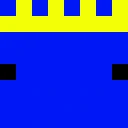
The Enderman453 skin features a white and black color palette applied to the classic Steve player model. This skin works for any Minecraft version that supports the standard player format. You can use it on servers, in single-player worlds, or as your profile skin. The simple two-tone design makes it easy to recognize in game. Download the file and apply it through the Minecraft launcher or your preferred skin manager.
0
ダウンロード
850
閲覧数
0
いいね
リアクション
リアクションするにはログインしてください。
Minecraft profile
a814bbe9-3cc4-4034-b78a-69ed842eb331Model
classic
Views / 30 days
16
Observed names
Dates show when minecraft.how first observed each name.
Enderman453—
Skin history
History grows as minecraft.how observes profile changes.

Head command
/give @p minecraft:player_head[profile={name:"Enderman453"}]PNG · 64×64

タグ
MinecraftスキンEnderman453javaneutral
よくある質問
Enderman453 のMinecraftスキンをダウンロードするには:
- 「ダウンロード」ボタンをクリックして、この無料の Enderman453 スキンを入手します
- スキンファイル
.pngがデバイスに保存されます - Java版 と 統合版 の両方で動作します
- 完全なインストール手順については以下を参照してください
Enderman453 スキンを適用するには:
- Minecraft公式サイトで MojangまたはMicrosoft アカウントにログインします。
- プロフィールの「スキン」セクションに移動します。
- ダウンロードした
.pngファイルをアップロードします。 - Minecraftを起動すると、キャラクターは Enderman453 スキンを使用します。
注意: Minecraft Java版 と Minecraft 統合版 では手順が多少異なる場合があります。
はい、Enderman453 スキンは Minecraft Java版 と Minecraft 統合版 の両方に対応しています。ただし、スキンの適用方法はバージョンによって多少異なる場合があります。お使いのエディションに合わせて、このページの手順に従ってください。
もちろんです! Minecraftスキンエディター を使って Enderman453 スキンを編集できます。ダウンロードした
.png ファイルをエディターで開き、変更を加えて保存してください。その後、編集したスキンをMinecraftプロフィールにアップロードします。Enderman453 スキンが機能しない場合は、以下を試してください:
- 正しいファイル形式
.pngをダウンロードしたことを確認してください。 - Minecraftの正しいバージョン(Java版 または 統合版)を使用していることを確認してください。
- スキンファイルが破損していないことを確認してください。必要に応じてスキンを再ダウンロードしてください。
- MojangまたはMicrosoft アカウントからログアウトして再度ログインし、プロフィールを更新してください。