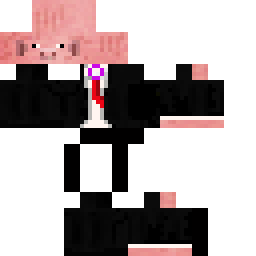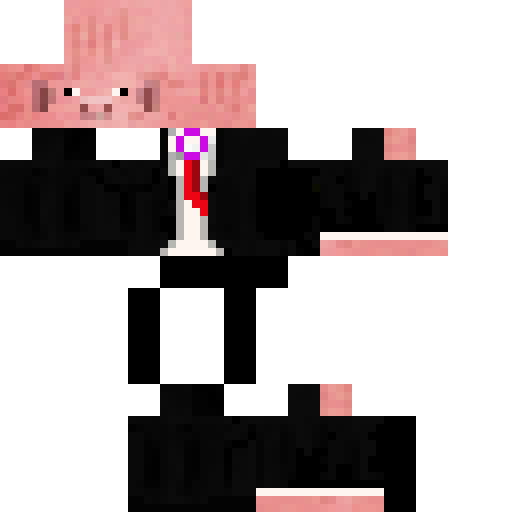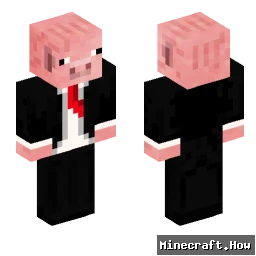
シルクセソングイズリアル Minecraftスキン
✓ 承認済み
Skin for silksongisreal
(Note: The provided text is extremely short and doesn't contain much translatable content beyond the username and the phrase "Skin for", which is a direct request or title. Given the rules, the translation focuses on the non-game-specific, human-readable text, which in this case is minimal. The username and the structure of the text are preserved as per the instructions.)
Skin for silksongisreal → **silksongisreal**向けのSkin
**Translated Version (as per instructions, only the translation is provided below)**
silksongisreal向けのSkin
(Note: The provided text is extremely short and doesn't contain much translatable content beyond the username and the phrase "Skin for", which is a direct request or title. Given the rules, the translation focuses on the non-game-specific, human-readable text, which in this case is minimal. The username and the structure of the text are preserved as per the instructions.)
Skin for silksongisreal → **silksongisreal**向けのSkin
**Translated Version (as per instructions, only the translation is provided below)**
silksongisreal向けのSkin
0
ダウンロード
1.1K
閲覧数
Minecraft profile
ecb5b634-b34e-4434-af00-bf1706c9870dModel
classic
Views / 30 days
39
Observed names
Dates show when minecraft.how first observed each name.
シルクセソングイズリアル—
Skin history
History grows as minecraft.how observes profile changes.

Head command
/give @p minecraft:player_head[profile={name:"シルクセソングイズリアル"}]
PNG · 64×64

タグ
Minecraftスキンシルクセソングイズリアル
よくある質問
シルクセソングイズリアル のMinecraftスキンをダウンロードするには:
- 「ダウンロード」ボタンをクリックして、この無料の シルクセソングイズリアル スキンを入手します
- スキンファイル
.pngがデバイスに保存されます - Java版 と 統合版 の両方で動作します
- 完全なインストール手順については以下を参照してください
シルクセソングイズリアル スキンを適用するには:
- Minecraft公式サイトで MojangまたはMicrosoft アカウントにログインします。
- プロフィールの「スキン」セクションに移動します。
- ダウンロードした
.pngファイルをアップロードします。 - Minecraftを起動すると、キャラクターは シルクセソングイズリアル スキンを使用します。
注意: Minecraft Java版 と Minecraft 統合版 では手順が多少異なる場合があります。
はい、シルクセソングイズリアル スキンは Minecraft Java版 と Minecraft 統合版 の両方に対応しています。ただし、スキンの適用方法はバージョンによって多少異なる場合があります。お使いのエディションに合わせて、このページの手順に従ってください。
もちろんです! Minecraftスキンエディター を使って シルクセソングイズリアル スキンを編集できます。ダウンロードした
.png ファイルをエディターで開き、変更を加えて保存してください。その後、編集したスキンをMinecraftプロフィールにアップロードします。シルクセソングイズリアル スキンが機能しない場合は、以下を試してください:
- 正しいファイル形式
.pngをダウンロードしたことを確認してください。 - Minecraftの正しいバージョン(Java版 または 統合版)を使用していることを確認してください。
- スキンファイルが破損していないことを確認してください。必要に応じてスキンを再ダウンロードしてください。
- MojangまたはMicrosoft アカウントからログアウトして再度ログインし、プロフィールを更新してください。