Einfachgustafhal Minecraftスキン
✓ 承認済み
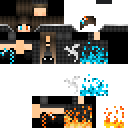
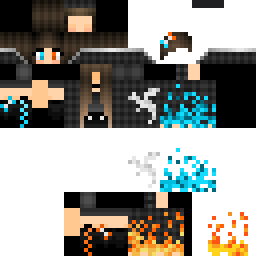
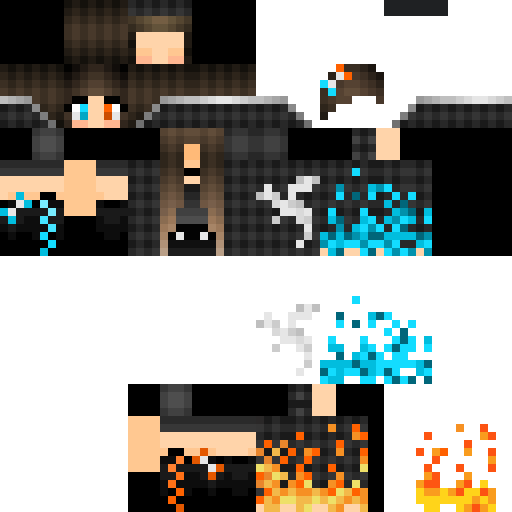
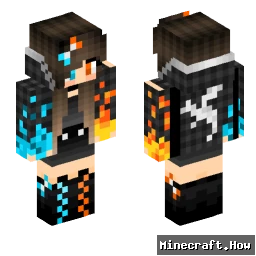
The Einfachgustafhal skin takes a stripped-back approach. No elaborate armor, no fantasy elements. Just a grounded male character with plain, everyday clothing. The name itself is German, loosely translating to 'simply Gustaf,' and the skin matches that energy. It's the kind of design that reads well at any render distance and doesn't clash with whatever biome or build you drop into.
You'll find it works well on survival servers where blending in matters more than showing off. It also holds up fine in roleplay or casual creative worlds, where an understated player model keeps attention on the builds rather than the character. The color palette stays in neutral territory, so it doesn't look out of place next to players running more elaborate skins either.
If you want a skin that just gets out of the way and lets you play, this one does that.
You'll find it works well on survival servers where blending in matters more than showing off. It also holds up fine in roleplay or casual creative worlds, where an understated player model keeps attention on the builds rather than the character. The color palette stays in neutral territory, so it doesn't look out of place next to players running more elaborate skins either.
If you want a skin that just gets out of the way and lets you play, this one does that.
0
ダウンロード
228
閲覧数
Minecraft profile
7af8bed7-c390-422a-b87e-879c384e4b33Model
classic
Views / 30 days
27
Observed names
Dates show when minecraft.how first observed each name.
Einfachgustafhal—
Skin history
History grows as minecraft.how observes profile changes.

Head command
/give @p minecraft:player_head[profile={name:"Einfachgustafhal"}]PNG · 64×64

タグ
MinecraftスキンEinfachgustafhal
よくある質問
Einfachgustafhal のMinecraftスキンをダウンロードするには:
- 「ダウンロード」ボタンをクリックして、この無料の Einfachgustafhal スキンを入手します
- スキンファイル
.pngがデバイスに保存されます - Java版 と 統合版 の両方で動作します
- 完全なインストール手順については以下を参照してください
Einfachgustafhal スキンを適用するには:
- Minecraft公式サイトで MojangまたはMicrosoft アカウントにログインします。
- プロフィールの「スキン」セクションに移動します。
- ダウンロードした
.pngファイルをアップロードします。 - Minecraftを起動すると、キャラクターは Einfachgustafhal スキンを使用します。
注意: Minecraft Java版 と Minecraft 統合版 では手順が多少異なる場合があります。
はい、Einfachgustafhal スキンは Minecraft Java版 と Minecraft 統合版 の両方に対応しています。ただし、スキンの適用方法はバージョンによって多少異なる場合があります。お使いのエディションに合わせて、このページの手順に従ってください。
もちろんです! Minecraftスキンエディター を使って Einfachgustafhal スキンを編集できます。ダウンロードした
.png ファイルをエディターで開き、変更を加えて保存してください。その後、編集したスキンをMinecraftプロフィールにアップロードします。Einfachgustafhal スキンが機能しない場合は、以下を試してください:
- 正しいファイル形式
.pngをダウンロードしたことを確認してください。 - Minecraftの正しいバージョン(Java版 または 統合版)を使用していることを確認してください。
- スキンファイルが破損していないことを確認してください。必要に応じてスキンを再ダウンロードしてください。
- MojangまたはMicrosoft アカウントからログアウトして再度ログインし、プロフィールを更新してください。