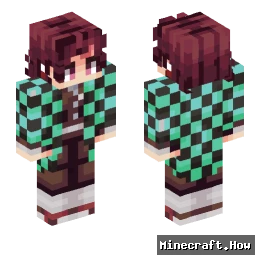
Skin showcase
Watch Page →TanjiroHashira Minecraftスキン
✓ 承認済み
<Title>Minecraft skin for player TanjiroHashira</Title>
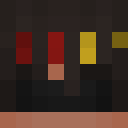
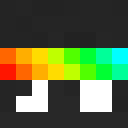
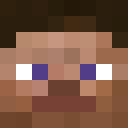
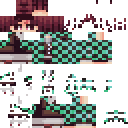
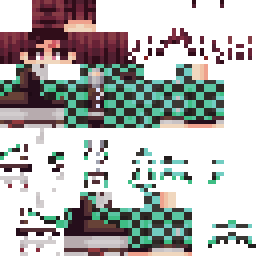
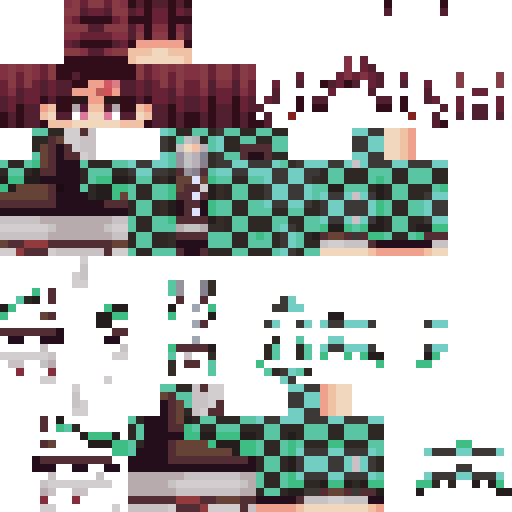
<P>This is a custom Minecraft skin designed for the player TanjiroHashira, inspired by the popular manga and anime series "Demon Slayer".</P>
<P>The skin features Tanjiro's iconic black hair, green eyes, and the Mark of the Sun on his forehead, along with his Nichirin sword by his side.</P>
<P><A href="https://www.minecraft.net/">Minecraft</A> skin created using <A href="https://mcskins.net/">MCSkins</A> editor.</P>
<P>To use this skin in your <Span style="font-weight:bold;">survival</Span> or <Span style="font-weight:bold;">creative</Span> world, simply download and upload it to your <Span style="font-weight:bold;">Minecraft</Span> account on the official website.</P>
<P>Note: This skin is compatible with <Span style="font-weight:bold;">vanilla</Span> Minecraft 1.20+ and most <Span style="font-weight:bold;">mods</Span>.</P>
<P>If you're playing on a <Span style="font-weight:bold;">server</Span>, ensure your server settings allow custom skins.</P>
<P>Watch out for <Span style="font-weight:bold;">creepers</Span> and <Span style="font-weight:bold;">endermen</Span> while showing off your new skin in the <Span style="font-weight:bold;">nether</Span> or <Span style="font-weight:bold;">end</Span> biomes!</P>
<P>Share your <Span style="font-weight:bold;">builds</Span> and <Span style="font-weight:bold;">redstone</Span> creations with this skin on social media using #MinecraftSkins.</P>
<P>This is a custom Minecraft skin designed for the player TanjiroHashira, inspired by the popular manga and anime series "Demon Slayer".</P>
<P>The skin features Tanjiro's iconic black hair, green eyes, and the Mark of the Sun on his forehead, along with his Nichirin sword by his side.</P>
<P><A href="https://www.minecraft.net/">Minecraft</A> skin created using <A href="https://mcskins.net/">MCSkins</A> editor.</P>
<P>To use this skin in your <Span style="font-weight:bold;">survival</Span> or <Span style="font-weight:bold;">creative</Span> world, simply download and upload it to your <Span style="font-weight:bold;">Minecraft</Span> account on the official website.</P>
<P>Note: This skin is compatible with <Span style="font-weight:bold;">vanilla</Span> Minecraft 1.20+ and most <Span style="font-weight:bold;">mods</Span>.</P>
<P>If you're playing on a <Span style="font-weight:bold;">server</Span>, ensure your server settings allow custom skins.</P>
<P>Watch out for <Span style="font-weight:bold;">creepers</Span> and <Span style="font-weight:bold;">endermen</Span> while showing off your new skin in the <Span style="font-weight:bold;">nether</Span> or <Span style="font-weight:bold;">end</Span> biomes!</P>
<P>Share your <Span style="font-weight:bold;">builds</Span> and <Span style="font-weight:bold;">redstone</Span> creations with this skin on social media using #MinecraftSkins.</P>
84
ダウンロード
4.9K
閲覧数
Minecraft profile
06affb9c-8f5b-460e-9470-b52f77fc5d7aModel
classic
Views / 30 days
101
Observed names
Dates show when minecraft.how first observed each name.
TanjiroHashira—
Skin history
History grows as minecraft.how observes profile changes.

Head command
/give @p minecraft:player_head[profile={name:"TanjiroHashira"}]PNG · 64×64

タグ
MinecraftスキンTanjiroHashira
よくある質問
TanjiroHashira のMinecraftスキンをダウンロードするには:
- 「ダウンロード」ボタンをクリックして、この無料の TanjiroHashira スキンを入手します
- スキンファイル
.pngがデバイスに保存されます - Java版 と 統合版 の両方で動作します
- 完全なインストール手順については以下を参照してください
TanjiroHashira スキンを適用するには:
- Minecraft公式サイトで MojangまたはMicrosoft アカウントにログインします。
- プロフィールの「スキン」セクションに移動します。
- ダウンロードした
.pngファイルをアップロードします。 - Minecraftを起動すると、キャラクターは TanjiroHashira スキンを使用します。
注意: Minecraft Java版 と Minecraft 統合版 では手順が多少異なる場合があります。
はい、TanjiroHashira スキンは Minecraft Java版 と Minecraft 統合版 の両方に対応しています。ただし、スキンの適用方法はバージョンによって多少異なる場合があります。お使いのエディションに合わせて、このページの手順に従ってください。
もちろんです! Minecraftスキンエディター を使って TanjiroHashira スキンを編集できます。ダウンロードした
.png ファイルをエディターで開き、変更を加えて保存してください。その後、編集したスキンをMinecraftプロフィールにアップロードします。TanjiroHashira スキンが機能しない場合は、以下を試してください:
- 正しいファイル形式
.pngをダウンロードしたことを確認してください。 - Minecraftの正しいバージョン(Java版 または 統合版)を使用していることを確認してください。
- スキンファイルが破損していないことを確認してください。必要に応じてスキンを再ダウンロードしてください。
- MojangまたはMicrosoft アカウントからログアウトして再度ログインし、プロフィールを更新してください。