Tenderism
✓ 승인됨
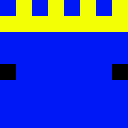
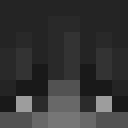
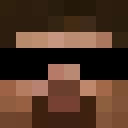
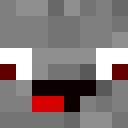
The Tenderism Minecraft skin embodies a gentle, artistic aesthetic with its soft and approachable design philosophy. This skin features smooth color transitions and rounded, friendly features that create a welcoming presence in any Minecraft world. The design likely incorporates pastel or muted tones, emphasizing a calm and thoughtful character that stands apart from aggressive combat-focused alternatives. Perfect for players who enjoy peaceful, creative gameplay—whether building magnificent structures, tending farms, or exploring vast landscapes. The Tenderism skin represents a philosophy of gentleness and care, making it ideal for community-oriented players who value cooperation and creativity. Its warm, non-threatening appearance makes it excellent for role-playing servers, creative builds, or simply expressing a kinder approach to the Minecraft experience. This skin appeals to those who see Minecraft as a canvas for artistic expression rather than a battlefield.
2
다운로드
586
조회수
0
좋아요
카테고리
모던밈
skins.download_format
이 스킨 공유하기
휴대폰으로 스캔하여 이 스킨을 공유하세요
태그
마인크래프트스킨Tenderismjavaneutral모던밈
자주 묻는 질문
Tenderism 마인크래프트 스킨을 다운로드하려면:
- 「다운로드」 버튼을 클릭하여 이 무료 Tenderism 스킨을 받으세요
- 스킨 파일
.png이 기기에 저장됩니다 - 자바 에디션과 베드락 에디션 모두에서 작동합니다
- 전체 설치 지침은 아래를 참조하세요
Tenderism 스킨을 적용하려면:
- 공식 마인크래프트 웹사이트에서 Mojang 또는 Microsoft 계정으로 로그인하세요.
- 프로필의 「스킨」 섹션으로 이동하세요.
- 다운로드한
.png파일을 업로드하세요. - 마인크래프트를 실행하면 캐릭터가 Tenderism 스킨을 사용합니다.
참고: 이 과정은 마인크래프트 자바 에디션과 마인크래프트 베드락 에디션에서 약간 다를 수 있습니다.
예, Tenderism 스킨은 마인크래프트 자바 에디션과 마인크래프트 베드락 에디션 모두와 호환됩니다. 그러나 스킨 적용 방법은 두 버전 간에 약간 다를 수 있습니다. 해당 에디션에 대한 이 페이지의 지침을 따르세요.
물론입니다! 마인크래프트 스킨 편집기를 사용하여 Tenderism 스킨을 편집할 수 있습니다. 다운로드한
.png 파일을 편집기에서 열고, 변경한 후 파일을 저장하세요. 그런 다음 편집한 스킨을 마인크래프트 프로필에 업로드하세요.Tenderism 스킨이 작동하지 않으면 다음을 시도해 보세요:
- 올바른 파일 형식
.png을 다운로드했는지 확인하세요. - 마인크래프트의 올바른 버전(자바 에디션 또는 베드락 에디션)을 사용하는지 확인하세요.
- 스킨 파일이 손상되지 않았는지 확인하세요. 필요하면 스킨을 다시 다운로드하세요.
- Mojang 또는 Microsoft 계정에서 로그아웃한 후 다시 로그인하여 프로필을 새로 고치세요.
Create your own skin
Draw a pixel-perfect Minecraft skin in the browser with our free 3D skin editor.
→ 스킨 생성기