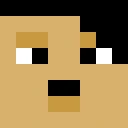
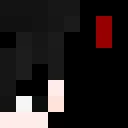
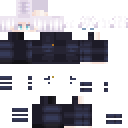
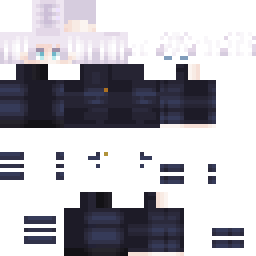
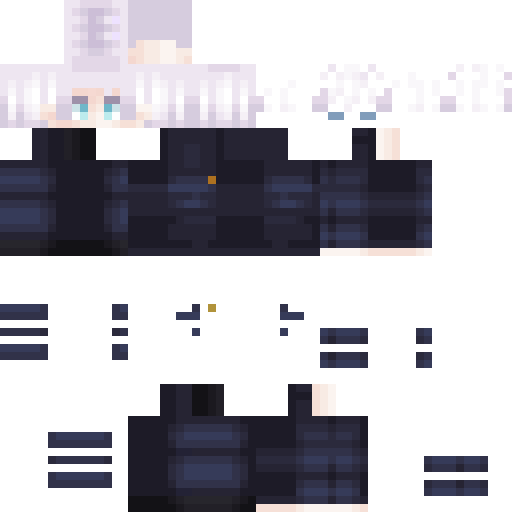
Skin showcase
Watch Page →Skin Minecraft Nieznany Skin
✓ Zatwierdzony
chłopiec,formalny,anime,gojo,okulary przeciwsłoneczne
127
Pobrania
3.2K
Wyświetlenia
1.8K
Polubienia
Reakcje
Zaloguj się, aby zareagować.
Informacje o skinie
Wersja Minecraft:java
Rozmiar pliku:1.2 KB
Płeć:Nieznany
Przesłane przez:Admin User
Data przesłania:12.04.2025
Minecraft profile
5febe83c-218a-b698-b900-3e44cd249ef5Model
classic
Views / 30 days
32
Observed names
Dates show when minecraft.how first observed each name.
Nieznany Skin—
Skin history
History grows as minecraft.how observes profile changes.

Head command
/give @p minecraft:player_head[profile={name:"Nieznany Skin"}]PNG · 64×64
Udostępnij ten skin
Zeskanuj telefonem, aby udostępnić ten skin
Tagi
MinecraftSkinyNieznany Skinjavaneutral
Często zadawane pytania
Aby pobrać skin Minecraft Nieznany Skin:
- Kliknij przycisk „Pobierz", aby uzyskać ten darmowy skin Nieznany Skin
- Plik skina
.pngzostanie zapisany na Twoim urządzeniu - Działa zarówno z Java Edition, jak i Bedrock Edition
- Poniżej znajdziesz pełne instrukcje instalacji
Aby zastosować skin Nieznany Skin:
- Zaloguj się do swojego konta Mojang lub Microsoft na oficjalnej stronie Minecraft.
- Przejdź do sekcji „Skiny" w swoim profilu.
- Prześlij pobrany plik
.png. - Uruchom Minecraft, a Twoja postać będzie teraz używać skina Nieznany Skin.
Uwaga: proces może się nieznacznie różnić między Minecraft Java Edition a Minecraft Bedrock Edition.
Tak, skin Nieznany Skin jest kompatybilny zarówno z Minecraft Java Edition, jak i Minecraft Bedrock Edition. Metoda zastosowania skina może się jednak nieznacznie różnić między wersjami. Postępuj zgodnie z instrukcjami na tej stronie dla Twojej konkretnej edycji.
Oczywiście! Możesz edytować skin Nieznany Skin za pomocą edytora skinów Minecraft. Po prostu otwórz pobrany plik
.png w edytorze, wprowadź zmiany i zapisz plik. Następnie prześlij edytowany skin do swojego profilu Minecraft.Jeśli skin Nieznany Skin nie działa, spróbuj następujących kroków:
- Upewnij się, że pobrałeś poprawny format pliku
.png. - Upewnij się, że używasz poprawnej wersji Minecraft: Java Edition lub Bedrock Edition.
- Sprawdź, czy plik skina nie jest uszkodzony. W razie potrzeby pobierz skin ponownie.
- Wyloguj się i zaloguj ponownie do swojego konta Mojang lub Microsoft, aby odświeżyć profil.
Stwórz własny skin
Narysuj idealny piksel po pikselu skin do Minecrafta w przeglądarce dzięki naszemu darmowemu edytorowi skinów 3D.
→ Kreator Skinów