Skin Minecraft Einfachgustafhal
✓ Approvato
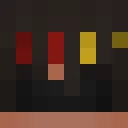
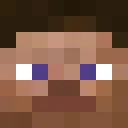
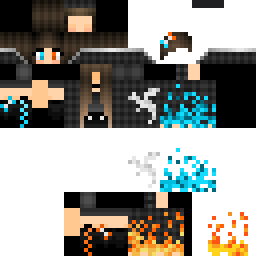
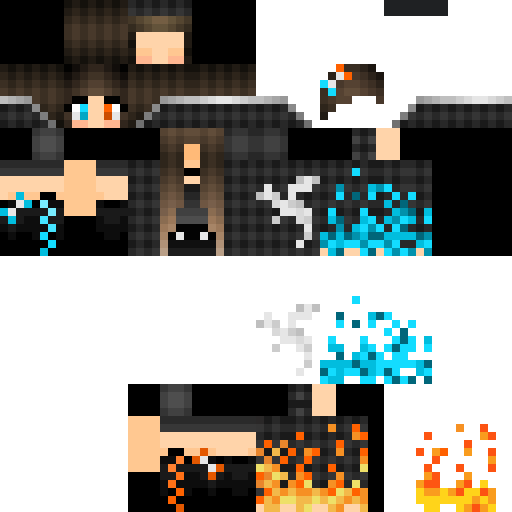
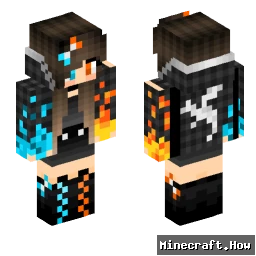
The Einfachgustafhal skin takes a stripped-back approach. No elaborate armor, no fantasy elements. Just a grounded male character with plain, everyday clothing. The name itself is German, loosely translating to 'simply Gustaf,' and the skin matches that energy. It's the kind of design that reads well at any render distance and doesn't clash with whatever biome or build you drop into.
You'll find it works well on survival servers where blending in matters more than showing off. It also holds up fine in roleplay or casual creative worlds, where an understated player model keeps attention on the builds rather than the character. The color palette stays in neutral territory, so it doesn't look out of place next to players running more elaborate skins either.
If you want a skin that just gets out of the way and lets you play, this one does that.
You'll find it works well on survival servers where blending in matters more than showing off. It also holds up fine in roleplay or casual creative worlds, where an understated player model keeps attention on the builds rather than the character. The color palette stays in neutral territory, so it doesn't look out of place next to players running more elaborate skins either.
If you want a skin that just gets out of the way and lets you play, this one does that.
0
Download
228
Visualizzazioni
Informazioni skin
Versione Minecraft:Qualsiasi
Dimensione file:Sconosciuto
Genere:Sconosciuto
Caricato da:System
Minecraft profile
7af8bed7-c390-422a-b87e-879c384e4b33Model
classic
Views / 30 days
27
Observed names
Dates show when minecraft.how first observed each name.
Einfachgustafhal—
Skin history
History grows as minecraft.how observes profile changes.

Head command
/give @p minecraft:player_head[profile={name:"Einfachgustafhal"}]PNG · 64×64
Condividi questa skin
Scansiona con il telefono per condividere questa skin
Tag
MinecraftSkinEinfachgustafhal
Domande frequenti
Per scaricare la skin Minecraft Einfachgustafhal:
- Clicca il pulsante «Scarica» per ottenere questa skin Einfachgustafhal gratuita
- Il file della skin
.pngverrà salvato sul tuo dispositivo - Funziona sia con Java Edition che con Bedrock Edition
- Vedi sotto per le istruzioni complete di installazione
Per applicare la skin Einfachgustafhal:
- Accedi al tuo account Mojang o Microsoft sul sito ufficiale di Minecraft.
- Vai alla sezione «Skin» nel tuo profilo.
- Carica il file
.pngscaricato. - Avvia Minecraft e il tuo personaggio userà ora la skin Einfachgustafhal.
Nota: il processo può variare leggermente tra Minecraft Java Edition e Minecraft Bedrock Edition.
Sì, la skin Einfachgustafhal è compatibile sia con Minecraft Java Edition che con Minecraft Bedrock Edition. Tuttavia, il metodo di applicazione della skin può differire leggermente tra le due versioni. Segui le istruzioni fornite in questa pagina per la tua edizione specifica.
Assolutamente! Puoi modificare la skin Einfachgustafhal usando un editor di skin Minecraft. Basta aprire il file
.png scaricato nell'editor, apportare le modifiche e salvare il file. Poi carica la skin modificata sul tuo profilo Minecraft.Se la skin Einfachgustafhal non funziona, prova quanto segue:
- Assicurati di aver scaricato il formato file corretto
.png. - Assicurati di usare la versione corretta di Minecraft: Java Edition o Bedrock Edition.
- Verifica che il file della skin non sia danneggiato. Riscarica la skin se necessario.
- Esci e accedi nuovamente al tuo account Mojang o Microsoft per aggiornare il profilo.
Crea la tua skin
Disegna una skin di Minecraft pixel-perfect direttamente nel browser con il nostro editor di skin 3D gratuito.
→ Creatore di Skin