Skin Minecraft PackGod
✓ Approvato
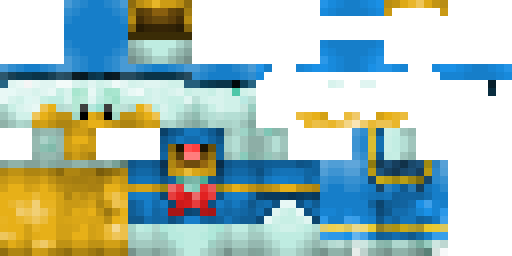
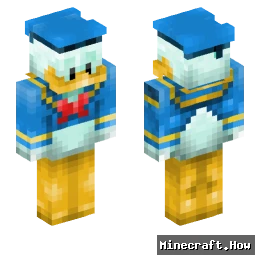
PackGod drops onto your character like a set of forged plates. The base is matte black, layered with sharp shoulder pads and a chest plate that catches light. Red lines run along the edges, glowing faintly in low light. The helmet has a visor that narrows the view, adding an intimidating feel. The legs and boots follow the same pattern, keeping the look tight and consistent.
Use it when you want to stand out in PvP arenas or simply give your base a tougher look. It works well on servers that allow custom skins, and it reads clearly even from a distance, so teammates can spot you fast. The glowing accents help when you explore caves at night. Pair it with a sword or bow and you’ll have a ready-to-fight appearance without extra mods.
Use it when you want to stand out in PvP arenas or simply give your base a tougher look. It works well on servers that allow custom skins, and it reads clearly even from a distance, so teammates can spot you fast. The glowing accents help when you explore caves at night. Pair it with a sword or bow and you’ll have a ready-to-fight appearance without extra mods.
0
Download
40
Visualizzazioni
Informazioni skin
Versione Minecraft:Qualsiasi
Dimensione file:Sconosciuto
Genere:Sconosciuto
Caricato da:minecraft.how BOT
Minecraft profile
a1bd47cd-3636-4481-9ea0-265f37fba40dModel
classic
Views / 30 days
39
Observed names
Dates show when minecraft.how first observed each name.
PackGod—
Skin history
History grows as minecraft.how observes profile changes.

Head command
/give @p minecraft:player_head[profile={name:"PackGod"}]Utenti con la stessa texture (2 in totale)
2
Utenti totali
122
Visualizzazioni combinate
0
Download combinati

PNG · 64×64
Condividi questa skin
Scansiona con il telefono per condividere questa skin
Tag
MinecraftSkinPackGod
Domande frequenti
Per scaricare la skin Minecraft PackGod:
- Clicca il pulsante «Scarica» per ottenere questa skin PackGod gratuita
- Il file della skin
.pngverrà salvato sul tuo dispositivo - Funziona sia con Java Edition che con Bedrock Edition
- Vedi sotto per le istruzioni complete di installazione
Per applicare la skin PackGod:
- Accedi al tuo account Mojang o Microsoft sul sito ufficiale di Minecraft.
- Vai alla sezione «Skin» nel tuo profilo.
- Carica il file
.pngscaricato. - Avvia Minecraft e il tuo personaggio userà ora la skin PackGod.
Nota: il processo può variare leggermente tra Minecraft Java Edition e Minecraft Bedrock Edition.
Sì, la skin PackGod è compatibile sia con Minecraft Java Edition che con Minecraft Bedrock Edition. Tuttavia, il metodo di applicazione della skin può differire leggermente tra le due versioni. Segui le istruzioni fornite in questa pagina per la tua edizione specifica.
Assolutamente! Puoi modificare la skin PackGod usando un editor di skin Minecraft. Basta aprire il file
.png scaricato nell'editor, apportare le modifiche e salvare il file. Poi carica la skin modificata sul tuo profilo Minecraft.Se la skin PackGod non funziona, prova quanto segue:
- Assicurati di aver scaricato il formato file corretto
.png. - Assicurati di usare la versione corretta di Minecraft: Java Edition o Bedrock Edition.
- Verifica che il file della skin non sia danneggiato. Riscarica la skin se necessario.
- Esci e accedi nuovamente al tuo account Mojang o Microsoft per aggiornare il profilo.
Crea la tua skin
Disegna una skin di Minecraft pixel-perfect direttamente nel browser con il nostro editor di skin 3D gratuito.
→ Creatore di Skin