Building Custom Recipes: A Deep Get into CustomCrafting
CustomCrafting (WolfyScript/CustomCrafting)
Create your own custom recipes with tons of configuration options
Ever tried running a multiplayer server and realized the vanilla crafting system just doesn't fit your vision? CustomCrafting lets you define entirely new recipes for furnaces, crafting tables, smithing stations, and more - then lock vanilla recipes away if you want. It's the tool server admins reach for when they need precise control over what players can craft.
What This Project Does
CustomCrafting is a server-side plugin (with Fabric and Sponge support) that lets you completely rewrite how recipes work on your server. You can create custom recipes for almost any workstation - crafting tables, furnaces, blast furnaces, smokers, smithing tables, and more. Anyone can override vanilla recipes, disable them entirely, or mix and match.
The real power comes from the configuration system. You're not just saying "combine iron and diamonds to make a sword." You can set requirements (does the player need a certain permission? A minimum level?), tie it to custom items from other plugins like Oraxen or ItemsAdder, create multi-stage recipes, and even automatically update recipes when another plugin modifies an item.
Why You'd Use This
Most vanilla servers don't need CustomCrafting. But the minute you start running a survival server with an economy, custom items, or a specific theme (like a medieval or steampunk build), vanilla recipes become a problem.
Say you've got a magic mod or custom items plugin. Those items have no recipes by default - CustomCrafting lets you define how to craft them. Or you're running a season that bans certain items (no diamonds for the first week, maybe?). You can disable just those recipes without breaking everything else. Or your server's lore says iron should require smelting ore in a blast furnace instead of a regular furnace.
Some admins use it to make crafting more expensive (require 4 diamonds instead of 2 for a full set). Others tie recipes to progression systems or plugins. If you're using MythicMobs or MMOItems, CustomCrafting integrates with them so recipes stay in sync when items change. And it works both ways - the plugin watches for updates and refreshes automatically.
Getting It Installed
CustomCrafting is distributed through SpigotMC and Modrinth. Head to the official GitHub repository and download the appropriate build for your server platform (currently v4.19.1 is the latest stable release, though v5 is in early alpha with breaking API changes coming).

Once you've got the JAR:
cp CustomCrafting-4.19.1.jar ~/server/plugins/
./restart.sh
The plugin will generate a config folder and default resources on first launch. From there, you need to understand the configuration format (HOCON or JSON), set up your resource directories, and start defining recipes. Fair warning: the setup isn't "download and go." You need to read the documentation, understand the config structure, and write your own recipes. This is intentional - the flexibility comes at the cost of complexity.
The getting-started guide on the GitHub wiki walks you through understanding the config format, configuring resources, exploring recipe types, and defining your first recipes.
Key Features That Matter
Plugin integration is the standout feature. If you're using Oraxen, ItemsAdder, MythicMobs, or MMOItems, CustomCrafting reads those plugins' items and automatically syncs recipes when items update. You don't manually redefine recipes every time someone tweaks an item.
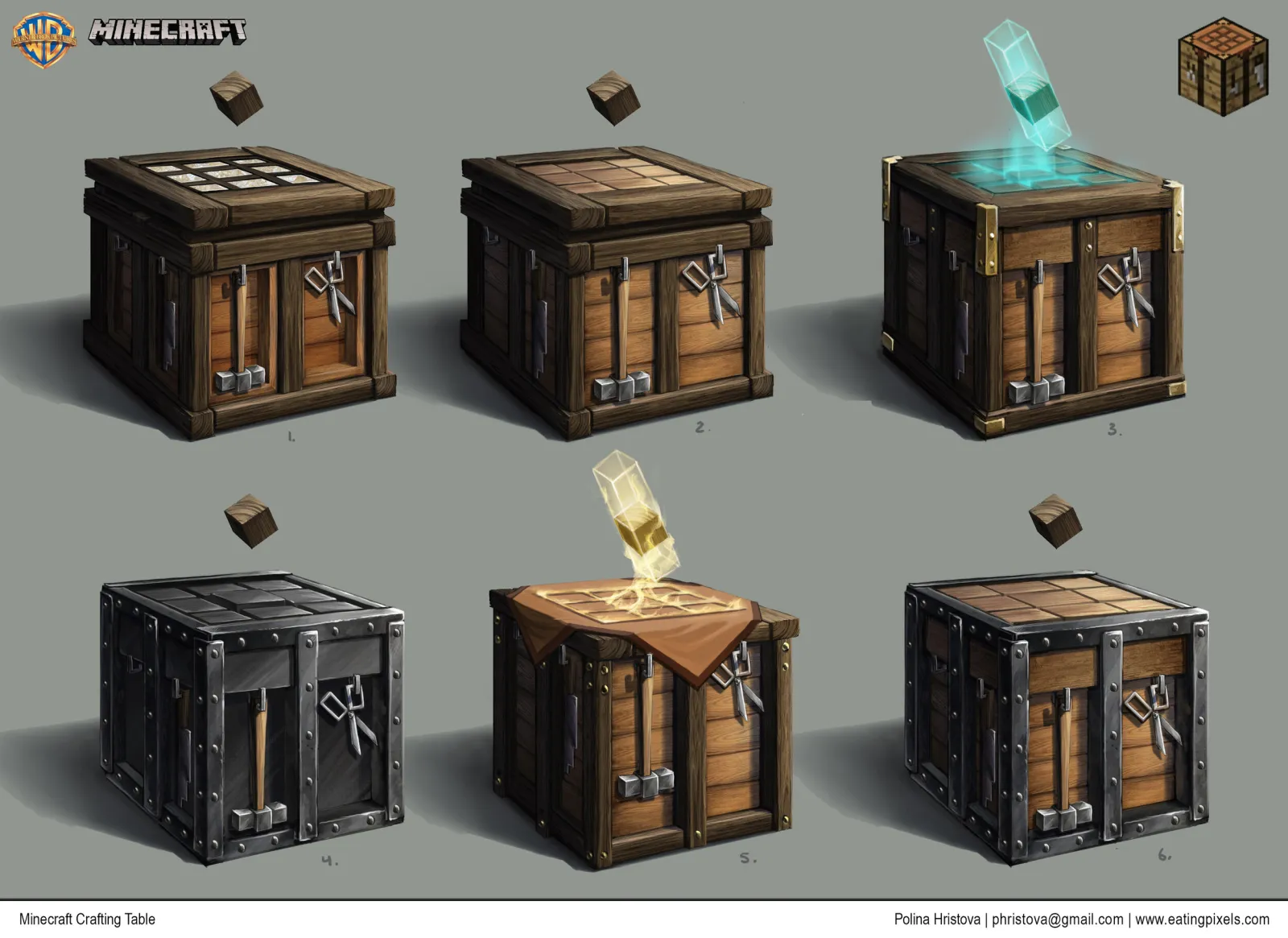
The recipe type support is genuinely full - furnaces, blast furnaces, smokers, crafting tables, smithing tables, and more. Each has its own configuration options. You're not locked into Minecraft's default workstations.
Vanilla recipe control gives you granular power. Want to disable one recipe? Override just the diamond sword? Keep some vanilla recipes but nuke others? CustomCrafting lets you pick and choose without nuking everything and rebuilding from scratch.
Advanced conditions are where it gets interesting. Recipes aren't just "input A + input B = output C." You can add permission checks, player-level requirements, or specific item properties. A recipe might require a player to have a certain advancement or status effect. And this opens up progression systems that simply aren't possible with vanilla.
Resource flexibility lets you load recipes from multiple locations (local files, SQL databases, custom sources) and merge them. You can organize recipes however makes sense for your architecture.
Common Gotchas and What Trips People Up
The config format is strict. You're writing HOCON or JSON, not clicking buttons. One bracket out of place, one missing comma, and the entire recipe fails silently. Get familiar with validation tools early, because error messages often just say "recipe failed to load" without telling you why.
Documentation is reference material, not a tutorial. You need to read the wiki, understand the recipe structure yourself, then write your own configs. If you're used to GUIs, this feels like a step backward initially. It's not - it just requires upfront effort.
Plugin compatibility matters. CustomCrafting integrates with common item plugins, but not every custom item plugin is supported out of the box. If you're using something obscure, you might need to define recipes manually or file a feature request.
Performance-wise, it's generally lightweight. But if you're defining hundreds of recipes on a server with hundreds of players crafting constantly, your config structure matters. Test on a dev server first.
One more thing worth mentioning: if you're building a heavily customized server, you're probably also using tools like the Minecraft Text Generator for custom signs and commands, or the Nether Portal Calculator for infrastructure planning. CustomCrafting fits into that broader ecosystem of server customization tools.
Alternatives Worth Considering
CustomCrafting isn't your only option for recipe management, though it's probably the most flexible.
MythicCrafter is simpler if you only need custom recipes for mythic items and don't want deep customization. It works exclusively with MythicMobs.
Built-in systems - ItemsAdder and some other plugin-sets have their own recipe definition systems. If all your custom items come from one plugin, you might not need CustomCrafting at all.
CustomCrafting wins when you need to manage recipes across multiple plugins or when you need conditions and advanced configuration. Real talk, if your needs are simpler, something lighter might work fine.

Lead writer at minecraft.how. Long-time Minecraft player running a small SMP server, testing every build, mod, and seed before writing about it.
常见问题解答
What Minecraft server versions does CustomCrafting support?
Can CustomCrafting work with plugins like Oraxen and ItemsAdder?
Do I need to code to use CustomCrafting?
What's the license and cost for CustomCrafting?
How does CustomCrafting compare to vanilla recipe management?
Have a Question or Tip about this Guide?Community Q&A
Ask a question or help other players below. Join the discussion and share your Minecraft tips!