Minecraft Adventure Mode: Complete Guide for Custom Maps

Adventure Mode is Minecraft's restricted building mode designed for custom maps and servers. It prevents players from freely placing or breaking blocks, letting map creators control the experience. Tools only work on specific blocks with proper NBT tags, making it perfect for puzzles, story-driven adventures, and controlled gameplay scenarios.
What's Adventure Mode Anyway?
Ever played a custom Minecraft map and wondered why you couldn't just dig through a wall? Probably Adventure Mode. If you've spent time on servers like Hypixel or smaller community adventure maps, you've definitely encountered it. It's the game mode that map creators use to force a specific gameplay style and prevent players from breaking sequence by just demolishing everything in sight.
The core mechanics are simple but effective. In Adventure Mode, you can't break or place blocks unless they've specific NBT tags that explicitly allow it. A block with the `CanDestroy` tag can be broken by a player holding the right tool. A block with the `CanPlaceOn` tag can be placed on top of certain surfaces. That's it. That's the whole system.
And honestly? It's powerful control.
Think of it this way: Creative Mode is total freedom, Survival Mode is mostly freedom with consequences, and Adventure Mode is a carefully guided experience. The map designer decides what you can touch and what you can't. You might be able to dig through soft blocks like dirt, but not stone. Anyone might be able to place scaffolding but not cobblestone. These specific rules make the adventure feel intentional instead of chaotic.
How Adventure Mode Differs from Survival
The distinction matters. In Survival, you earn tools, gather resources, and build what you want. You face danger, hunger, and resource scarcity as core mechanics. It's organic and unpredictable. You're literally surviving.
Adventure Mode respects player agency in some areas while removing it entirely in others. Actually, that's not quite right. Adventure Mode doesn't remove agency so much as redirect it. A well-designed adventure map still gives you choices, just within intentional boundaries. You can usually move freely, interact with the world in intended ways, and experience the map as the creator designed it.
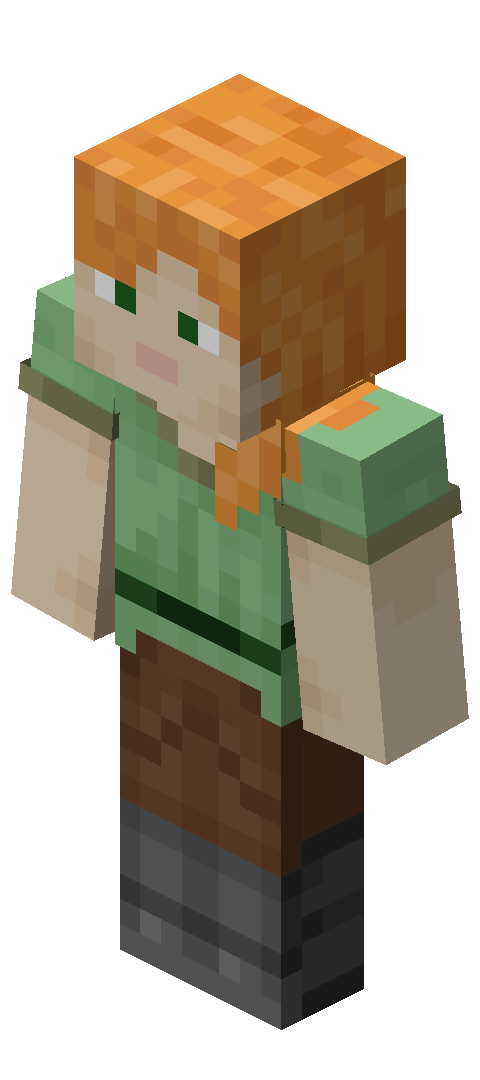
Many adventure servers feature custom skins as part of the experience, letting players show off their character while exploring. If you're looking for a good adventure-themed look, something like the adventurerfriend skin captures that explorer aesthetic perfectly. But the real difference? Block mechanics. You might be solving a puzzle where you can only place blocks at specific points, or following a parkour route where you can't dig downward. That's Adventure Mode control at work.
Why Servers and Map Creators Use This
Control, basically.
Adventure Mode exists because map creators needed a way to prevent griefing and maintain their vision. On a public survival server, someone will eventually wreck what you've built. They'll dig holes in your carefully designed terrain, remove structural elements, or just tear things apart for fun. Adventure Mode stops that completely. More it lets map creators build experiences instead of just arranging blocks.
A parkour map needs you to jump, not dig shortcuts. A puzzle map needs you to solve it, not smash through the solution. A story-driven adventure needs atmosphere and narrative flow, which gets completely destroyed if players can demolish everything. Professional adventure maps on servers like Mineplex and countless smaller communities all rely on this restriction. Players wearing skins like Whatasnipe have been exploring these carefully designed worlds for years, and Adventure Mode is what keeps those worlds intact.
The mode gives creators the tools to ensure every player experiences their map as intended, not as a vanilla survival sandbox they're free to destroy.
The Technical Side: CanDestroy and CanPlaceOn
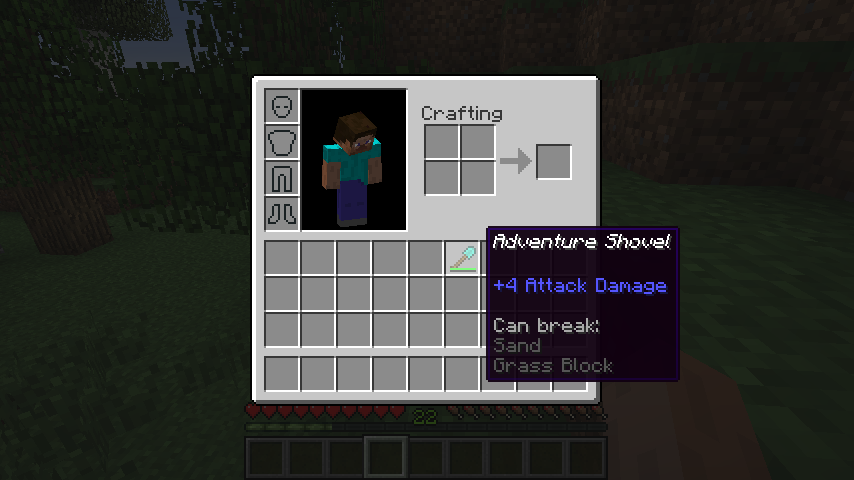
So how does it actually work under the hood? The `CanDestroy` NBT tag is the main restriction. You can only break a block if your held item has this tag applied with that block listed. Similarly, `CanPlaceOn` determines which surfaces you can build on. Command blocks apply these tags. When you use `/give`, you add NBT data specifying exact block types.
A sword might have `CanDestroy: [oak_log, spruce_log]` so it only breaks wood. A pickaxe might have `CanDestroy: [stone, granite, diorite]` so it only works on stone variants. This precision is why Adventure Mode feels completely different from just slapping survival mode on a server and hoping players cooperate.
It's not foolproof, but it works.
Most map creators use datapacks to apply these tags automatically because datapacks work on all versions and don't require plugins. A datapack can give players properly tagged tools when they join or at specific progression points. This is where adventure map design gets complex. You're not just arranging blocks - you're setting up a system that controls what players can and can't do at each stage.
Adventure Mode in Multiplayer and Community Builds
On large multiplayer servers, Adventure Mode becomes essential infrastructure. Imagine a server with 100+ players. Without restrictions, the main hub or story world gets destroyed within hours. With Adventure Mode, you can have a shared public world that everyone respects because they literally can't grief it.
Smaller community builds often use it for collaborative projects where the builder doesn't want random players demolishing their work. The vibe you see on these collaborative servers is creative and invested. Players like those wearing the Lockdown Life skin show up for the experience, not to break things.
That's the real power of the mode. It enables trust.
Some hardcore servers use Adventure Mode selectively. Maybe the main hub is in Adventure Mode for stability in shared spaces, but player-claimed territories stay in Survival Mode for personal freedom. Best of both worlds.
Setting It Up (It's Easier Than You Think)
Setting up Adventure Mode itself is straightforward. If you're running a server, just use `/gamemode adventure @a` to apply it to all players. For a specific player: `/gamemode adventure [player_name]`. In single-player, you can set it in world creation options or change it later with commands.
The tricky part isn't enabling Adventure Mode - it's properly configuring NBT tags on items so players can interact with the map as intended. You need command blocks, datapacks, or plugins to apply `CanDestroy` and `CanPlaceOn` tags to the right tools. This is where most map creators spend their time. Think of something like the What_Max skin - it's a fun, creative character that would fit perfectly on an adventure server with custom gear, and that gear needs those tags set up correctly.
The setup itself is a systems problem, not a complexity problem.
When to Use Adventure Mode
When should you actually enable it? Adventure Mode shines for custom maps, puzzle games, and story-driven experiences. If you're building a parkour challenge, a mystery adventure, or a guided quest, Adventure Mode prevents players from breaking sequence by digging alternate paths or destroying critical structures. It's not great for long-term survival servers or sandbox modes where player freedom is the appeal.
And honestly, it can feel restrictive if it's not paired with good level design. Players notice immediately when they can't interact with the world. The restrictions need to feel intentional, not arbitrary.
Community servers that mix adventure content with survival zones often hit the sweet spot. Players get the guided experience when it matters and creative freedom when it doesn't. That balance is worth the setup effort.