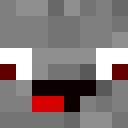
Chief XD - Gaming Character Skin
✓ 已批准
The Chief XD skin brings a gaming-inspired character to your Minecraft world with a modern, casual aesthetic. This skin likely features a contemporary design with bold lettering or branding elements that reference the 'XD' emoticon, suggesting a fun and lighthearted personality. The 'Chief' designation implies a leadership or authority figure, possibly featuring casual streetwear or gaming culture elements like hoodies, caps, or branded clothing. Perfect for players who want to represent gaming culture or express their playful side in-game, this skin combines modern fashion with a relaxed vibe. The design likely incorporates clean lines and a youthful appearance, making it ideal for casual servers, minigames, or creative builds. Whether you're leading your squad or just hanging out with friends, this skin reflects a confident, gaming-savvy character.
39
下载
1.6K
浏览
0
喜欢
分类
男孩游戏现代连帽衫
skins.download_format
分享此皮肤
用手机扫描分享此皮肤
标签
Minecraft皮肤Chief XD - Gaming Character Skinjavaneutral男孩游戏现代连帽衫
常见问题
要下载 Chief XD - Gaming Character Skin Minecraft 皮肤:
- 点击「下载」按钮获取此免费 Chief XD - Gaming Character Skin 皮肤
- 皮肤文件
.png将保存到您的设备 - 支持 Java 版 和 基岩版
- 请参阅下方获取完整安装说明
要应用 Chief XD - Gaming Character Skin 皮肤:
- 在 Minecraft 官方网站登录您的 Mojang 或 Microsoft 账户。
- 前往个人资料中的「皮肤」部分。
- 上传下载的
.png文件。 - 启动 Minecraft,您的角色现在将使用 Chief XD - Gaming Character Skin 皮肤。
注意:Minecraft Java 版 和 Minecraft 基岩版 之间的步骤可能略有不同。
是的,Chief XD - Gaming Character Skin 皮肤兼容 Minecraft Java 版 和 Minecraft 基岩版。不过,两个版本之间应用皮肤的方法可能略有不同。请按照本页面为您特定版本提供的说明进行操作。
当然可以!您可以使用 Minecraft 皮肤编辑器 编辑 Chief XD - Gaming Character Skin 皮肤。只需在编辑器中打开下载的
.png 文件,进行更改并保存。然后将编辑后的皮肤上传到您的 Minecraft 个人资料。如果 Chief XD - Gaming Character Skin 皮肤无法使用,请尝试以下操作:
- 确保您下载的是正确的文件格式
.png。 - 确保您使用的是正确版本的 Minecraft:Java 版 或 基岩版。
- 检查皮肤文件是否已损坏。如有必要,请重新下载皮肤。
- 退出并重新登录您的 Mojang 或 Microsoft 账户以刷新个人资料。
Create your own skin
Draw a pixel-perfect Minecraft skin in the browser with our free 3D skin editor.
→ 皮肤创建器