PackGod Minecraft 皮肤
✓ 已批准
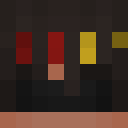
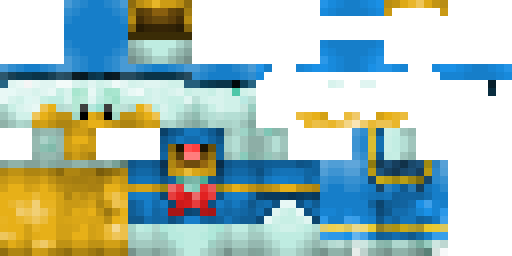
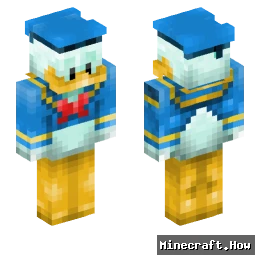
PackGod drops onto your character like a set of forged plates. The base is matte black, layered with sharp shoulder pads and a chest plate that catches light. Red lines run along the edges, glowing faintly in low light. The helmet has a visor that narrows the view, adding an intimidating feel. The legs and boots follow the same pattern, keeping the look tight and consistent.
Use it when you want to stand out in PvP arenas or simply give your base a tougher look. It works well on servers that allow custom skins, and it reads clearly even from a distance, so teammates can spot you fast. The glowing accents help when you explore caves at night. Pair it with a sword or bow and you’ll have a ready-to-fight appearance without extra mods.
Use it when you want to stand out in PvP arenas or simply give your base a tougher look. It works well on servers that allow custom skins, and it reads clearly even from a distance, so teammates can spot you fast. The glowing accents help when you explore caves at night. Pair it with a sword or bow and you’ll have a ready-to-fight appearance without extra mods.
0
下载
46
浏览
Minecraft profile
a1bd47cd-3636-4481-9ea0-265f37fba40dModel
classic
Views / 30 days
45
Observed names
Dates show when minecraft.how first observed each name.
PackGod—
Skin history
History grows as minecraft.how observes profile changes.

Head command
/give @p minecraft:player_head[profile={name:"PackGod"}]

标签
Minecraft皮肤PackGod
常见问题
要下载 PackGod Minecraft 皮肤:
- 点击「下载」按钮获取此免费 PackGod 皮肤
- 皮肤文件
.png将保存到您的设备 - 支持 Java 版 和 基岩版
- 请参阅下方获取完整安装说明
要应用 PackGod 皮肤:
- 在 Minecraft 官方网站登录您的 Mojang 或 Microsoft 账户。
- 前往个人资料中的「皮肤」部分。
- 上传下载的
.png文件。 - 启动 Minecraft,您的角色现在将使用 PackGod 皮肤。
注意:Minecraft Java 版 和 Minecraft 基岩版 之间的步骤可能略有不同。
是的,PackGod 皮肤兼容 Minecraft Java 版 和 Minecraft 基岩版。不过,两个版本之间应用皮肤的方法可能略有不同。请按照本页面为您特定版本提供的说明进行操作。
当然可以!您可以使用 Minecraft 皮肤编辑器 编辑 PackGod 皮肤。只需在编辑器中打开下载的
.png 文件,进行更改并保存。然后将编辑后的皮肤上传到您的 Minecraft 个人资料。如果 PackGod 皮肤无法使用,请尝试以下操作:
- 确保您下载的是正确的文件格式
.png。 - 确保您使用的是正确版本的 Minecraft:Java 版 或 基岩版。
- 检查皮肤文件是否已损坏。如有必要,请重新下载皮肤。
- 退出并重新登录您的 Mojang 或 Microsoft 账户以刷新个人资料。